
|
Do it yourself
| |||
| ||||


Resetting the Renault Twingo Service indicator
Model: Renault Twingo
Twingo 3, Twingo III
- Years 2014-2024
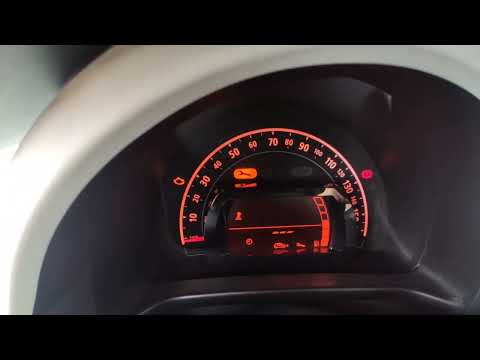
When the time comes for the maintenance check on the Renault Twingo dashboard, a warning light will come on to alert us of the need for intervention. After completing the necessary operations, we must reset the control system. To do this, we sit in the driver's seat and turn on the instrument panel. Using the two small buttons at the top of the lever to the right of the steering wheel, we select the icon of a wrench on the display at the bottom of the panel. We press and hold the bottom button, and we will see a row of bars flashing. Once the flashing stops, we release the button and the reset will be complete.
Posted on 6 August 2024 by ScegliAuto
Video tutorial
Related tutorials
Renault Twingo
(2014-2024 /
Twingo 3, Twingo III)
On the instrument panel of the Renault Twingo, the operation of resetting the Service light can be performed by turning on the instrument panel, turn…

Renault Twingo
(2007-2014 /
Twingo 2)
Today we will see the procedure for resetting the regular maintenance reminder for the engine oil change (service) of the Renault Twingo. First, we g…
Renault Twingo
(2014-2024 /
Twingo 3, Twingo III)
On the Renault Twingo, the procedure for resetting the Service light is done by turning on the instrument panel, turning the key inside the ignition …
Other guides you may be interested in
|
Frequently Asked QuestionsHow to Open the Bonnet of a BMW 1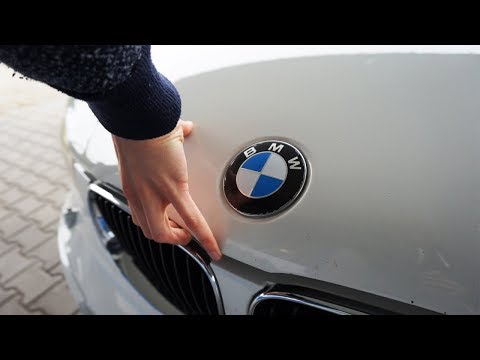
Maintenance on a BMW 1? How do you open the front bonnet? This is a simple operation, let's see how to do it. Pull the lever located at the bottom left of the dashboard, then slightly lift the bonnet and pull the release lever. Lift the front bonnet and secure it with the prop rod. Top up the oil, coolant, and screenwash. To close the bonnet, remove the safety rod and let the bonnet drop down from a minimal height. Close the front bonnet and ensure it is properly secured to avoid issues while driving. by ScegliAuto More videos
|
|
For advertising on this site Write to info@scegliauto.com
ScegliAuto is not responsible for any inaccuracy of the data in the lists. To report any inaccuracy or your business (if you own the business in question), please write to info@scegliauto.com
Number of seconds to generate the page: 0.086
(c) ScegliAuto 2026 - info@scegliauto.com - Privacy policy VAT number: IT01247470535 |
