
|
Do it yourself
| |||
| ||||


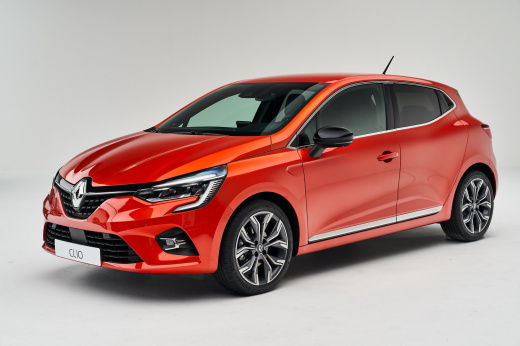
How to Replace the Screen in a Renault Clio 5
Model: Renault Clio
Clio V, Clio 5
- Years:
2019, 2020, 2021, 2022, 2023, 2024, 2025, 2026
Video tutorial
Replacing the multimedia screen in a Renault Clio 5 requires attention and precision, as it involves removing parts of the dashboard and handling delicate electronic components. Follow these steps to replace the screen: ### Tools Required: - Torx screwdriver - Plastic trim removal tools - Cross-head screwdriver - A torch (optional) - New replacement screen compatible with the Renault Clio 5 ### Procedure: 1. **Preparation:** - Park the car on a flat surface and turn off the engine. - Disconnect the battery to avoid short circuits or damage to the electronic system. 2. **Remove the Centre Panel:** - Use the plastic trim removal tools to gently lift the centre panel around the screen. - Insert the tool between the panel and the dashboard and carefully lever it to avoid breaking the clips. - Remove the panel to access the screws securing the screen. 3. **Remove the Screen Fixing Screws:** - Using a Torx screwdriver, remove the screws holding the screen in place. There are usually 4 screws, two above and two below the screen. - Set the screws aside in a safe place. 4. **Disconnect the Screen Connectors:** - Once the screws are removed, gently pull the screen towards you. - Disconnect the electrical connectors located at the back of the screen. Take note of how they are connected to facilitate the installation of the new screen. 5. **Install the New Screen:** - Connect the cables to the new screen in the same way they were connected to the previous one. - Align the screen in the brackets and secure it with the fixing screws. 6. **Reassemble the Centre Panel:** - Once the screen is secured, reposition the centre panel and press gently until you hear the clips snap into place. - Ensure the panel is firmly in place and there are no gaps. 7. **Test the New Screen:** - Reconnect the battery and start the car. - Check that the new screen functions correctly and that all features are operational. 8. **Cleaning and Finishing Touches:** - Clean any fingerprints or dust from the screen and dashboard. - Ensure everything is assembled correctly and that there are no loose parts.
Updated on 18 October 2026 by ScegliAuto
Related tutorials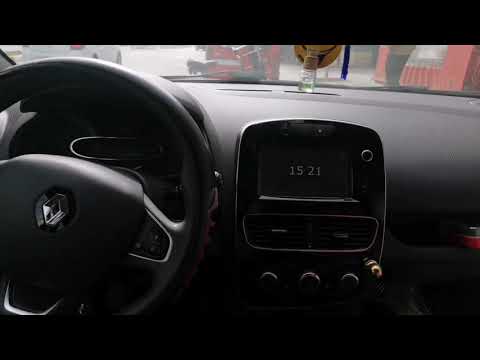
Renault Clio
(2012-2019 /
Clio IV, Clio 4, MK 4)
In this short video, we will see how to remove the Medianav radio screen on the fourth-generation Renault Clio, as well as on the Renault Captur and …

Renault Clio
(2012-2019 /
Clio IV, Clio 4, MK 4)
To manually reset the service light of your Renault Clio without the help of a professional, you need to follow all the various steps outlined in our…

Renault Clio
(2012-2019 /
Clio IV, Clio 4, MK 4)
If you are wondering what steps you need to take to manually reset the service light on your Renault Clio (2013), then all you need to do is carefull…
Other guides you may be interested in
|
How to Set the Time on an Audi A6
Briefly, we will see the instructions to set the time on the Audi A6 by following these simple steps. First, get inside the vehicle and turn on the instrument cluster; then press the settings button and navigate to the time option to confirm your choice, as shown in the video. At this point, set the correct time and format, then exit the settings menu to save the changes made; finally, start the engine and ensure that the time has been set correctly! by ScegliAuto More videos
|
|
For advertising on this site Write to info@scegliauto.com
ScegliAuto is not responsible for any inaccuracy of the data in the lists. To report any inaccuracy or your business (if you own the business in question), please write to info@scegliauto.com
Number of seconds to generate the page: 0.110
(c) ScegliAuto 2026 - info@scegliauto.com - Privacy policy VAT number: IT01247470535 |
