
|
Do it yourself
| |||
| ||||


Seat Leon - Onboard computerOnboard Computer Seat Leon (2020-2027 / kl 1, kl 8) Seat Leon (2020-2026 / KL1, KL8) How to reset the infotainment system of the Seat Leon Let's see how to reset the infotainment system of the Seat Leon: we start with a soft reset to use when the screen occasionally freezes, and we have a …Read all… Posted on 7 October 2025 by ScegliAuto  Seat Leon (2020-2026 / KL1, KL8) How to reset the onboard computer in the Seat Leon? In this tutorial we can see how to reset the on-board computer in the Seat Leon, an extremely simple and quick operation, to be carried out for example as an …Read all… Posted on 10 September 2025 by ScegliAuto 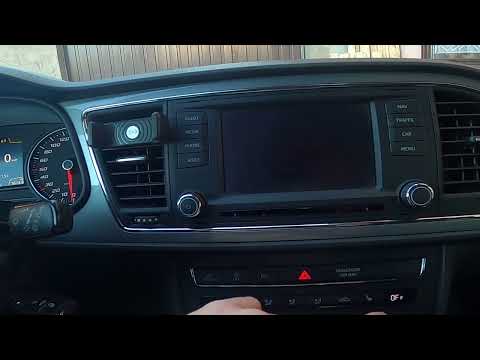 Seat Leon (2012-2019 / 5F, MK 3) How to Change the System Language on a Seat Leon 3 If you want to manually change the system language displayed on your Seat Leon Mk3 (2012-2019), follow these simple steps. First, start the instrument cluster …Read all… Posted on 6 August 2026 by ScegliAuto Onboard Computer Seat Leon (2012-2019 / 5 f, mk 3)
Seat Leon (2020-2026 / KL1, KL8)How to reset the infotainment system of the Seat Leon Let's see how to reset the infotainment system of the Seat Leon: we start with a soft reset to use when the screen occasionally freezes, and we have a …Read all… Posted on 7 October 2025 by ScegliAuto
Seat Leon (2020-2026 / KL1, KL8)How to reset the onboard computer in the Seat Leon? In this tutorial we can see how to reset the on-board computer in the Seat Leon, an extremely simple and quick operation, to be carried out for example as an …Read all… Posted on 10 September 2025 by ScegliAuto
Seat Leon (2012-2019 / 5F, MK 3)How to Change the System Language on a Seat Leon 3 If you want to manually change the system language displayed on your Seat Leon Mk3 (2012-2019), follow these simple steps. First, start the instrument cluster …Read all… Posted on 6 August 2026 by ScegliAuto Airbag (4) Shocks (2) Car stereo (4) Battery (6) Air vents (1) Control arm (2) Spark plugs (4) Body (4) Glove compartment (3) Control unit (2) Key (37) Timing belt (13) V-belt (2) Air conditioner (10) A/C controls (1) Onboard computer (3) Checks and maintenance (25) Dashboard (5) Differential (1) Brake rotors (1) Headlight (9) Tail light (5) Fog lights (5) Air filter (5) Cabin air filter (9) Diesel fuel filter (3) Oil filter (2) Parking brake (2) Grille (1) Window switch (1) Accessory kit (1) Light bulb (4) Side marker bulb (1) Headlight bulb (9) Tail light bulb (7) Interior dome light bulb (4) Antifreeze coolant (1) License plate light (4) (3) Handle (3) Engine (6) Power window motor (1) Engine oil (3) Clock (10) Door trim panel (27) Front bumper (7) Rear bumper (4) Brake pads (1) Shift knob (3) Fuel pump (1) Car door (3) Power window switch (1) Instrument cluster (4) Heater core (2) Fuse box (69) Seat (4) Door lock (6) Side mirror (3) Warning light – error code (25) Tire pressure warning light (33) Service warning light (163) Fuel cap (1) Windshield wipers (2) Thermostat (2) Turbocharger (1) EGR valve (4) Blower motor (2) Side window (3) |
How to Replace the Glow Plugs in the Fiat Ducato 2.3 Multijet?
Glow plugs, as the name suggests, raise the temperature of the engine in diesel vehicles to allow for easier starting. The manufacturer, in this case, Fiat for the Ducato 2.3 Multijet, specifies how often they should be replaced, and a warning light will illuminate when it's time. This work is carried out under the bonnet. First, remove the upper engine cover, then lift the coil and, using a socket wrench of the appropriate size, unscrew the glow plug to remove it from the base, followed by installing the new one. by ScegliAuto More videos
|
|
For advertising on this site Write to info@scegliauto.com
ScegliAuto is not responsible for any inaccuracy of the data in the lists. To report any inaccuracy or your business (if you own the business in question), please write to info@scegliauto.com
Number of seconds to generate the page: 0.024
(c) ScegliAuto 2026 - info@scegliauto.com - Privacy policy VAT number: IT01247470535 |
