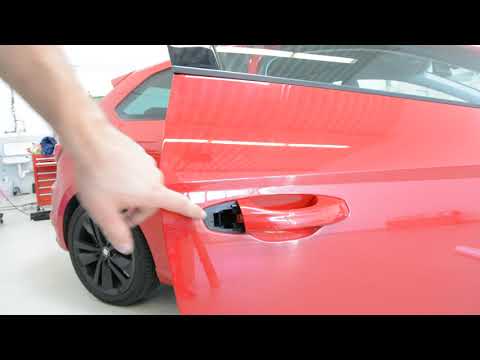
Seat Leon - Handle
Handle Seat Leon (2012-2019 / 5 f, mk 3)
Airbag (4)
Shocks (2)
Car stereo (4)
Battery (6)
Air vents (1)
Control arm (2)
Spark plugs (4)
Body (4)
Glove compartment (3)
Control unit (2)
Key (37)
Timing belt (13)
V-belt (2)
Air conditioner (10)
A/C controls (1)
Onboard computer (3)
Checks and maintenance (25)
Dashboard (5)
Differential (1)
Brake rotors (1)
Headlight (9)
Tail light (5)
Fog lights (5)
Air filter (5)
Cabin air filter (9)
Diesel fuel filter (3)
Oil filter (2)
Parking brake (2)
Grille (1)
Window switch (1)
Accessory kit (1)
Light bulb (4)
Side marker bulb (1)
Headlight bulb (9)
Tail light bulb (7)
Interior dome light bulb (4)
Antifreeze coolant (1)
License plate light (4)
(3)
Handle (3)
Engine (6)
Power window motor (1)
Engine oil (3)
Clock (10)
Door trim panel (27)
Front bumper (7)
Rear bumper (4)
Brake pads (1)
Shift knob (3)
Fuel pump (1)
Car door (3)
Power window switch (1)
Instrument cluster (4)
Heater core (2)
Fuse box (69)
Seat (4)
Door lock (6)
Side mirror (3)
Warning light – error code (25)
Tire pressure warning light (33)
Service warning light (162)
Fuel cap (1)
Windshield wipers (2)
Thermostat (2)
Turbocharger (1)
EGR valve (4)
Blower motor (2)
Side window (3)
|
Where are the fuses located on the Renault Laguna?

On the Renault Laguna, the fuses are located inside the fuse boxes installed in the vehicle: in this car model, you will find two boxes for containing the fuses. The first is in the fuse box on the left side of the dashboard, accessible by opening the driver's door: here you will find the fuses for the windscreen wipers, fog lights, horn, etc. The second box is located on the right side of the engine compartment: here you will find the fuses for the dipped headlights, radiator fan, alternator, etc.
Watch the video!
by ScegliAuto
More videos
|