
|
Do it yourself
| |||
| ||||


How to Remove the Radio Antenna from a Seat Ibiza?
Model: Seat Ibiza
6P, 6J
- Years 2008-2017
Unless it suffers intentional damage, which requires replacing the antenna in question, another rarely occurring reason that necessitates such intervention is corrosion or rust due to exposure to the elements over the years. The disassembly occurs by partially removing the roof lining in the central part adjacent to the tailgate, from here you can access with your hands and unscrew the locking nut using a suitably sized hex key, allowing you to extract the antenna from above, externally from the vehicle's roof.
Posted on 13 February 2026 by ScegliAuto
Video tutorial
Related tutorials
Seat Ibiza
(2002-2009 /
6L)
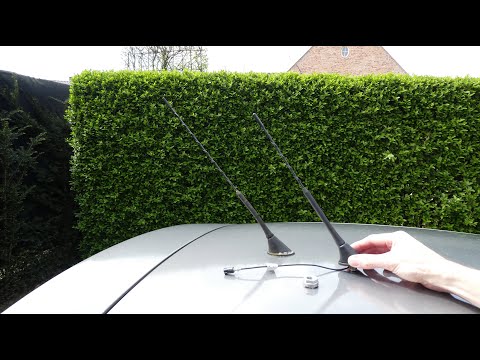
.. In this video, you will see how to remove the radio antenna from a Seat Ibiza. First, open the boot door and remove the snap-fit.. …
Seat Ibiza
(2002-2009 /
6L)
In this tutorial, you will see how to replace the antenna on a Seat Ibiza, a very simple and quick operation. First, ensure that the key is not inser…
Seat Ibiza
(2008-2017 /
6P, 6J)
Today's step-by-step instructions will show you how to remove and replace the standard radio in the Seat Ibiza. First, get inside the cabin and inser…
Other guides you may be interested in
|
Frequently Asked QuestionsWhere is the Spare Wheel in the Peugeot 5008?
This video shows where the spare wheel is located in the Peugeot 5008 and how to access it, useful in case of a puncture. As shown, the wheel is not in the usual boot compartment but underneath it, outside the vehicle. To free the wheel, first gather the tools provided, then open the boot, locate the small indicated hatch, and open it. Next, loosen the bolt just released using the large socket wrench enough to lower the wheel to the ground. by ScegliAuto More videos
|
|
For advertising on this site Write to info@scegliauto.com
ScegliAuto is not responsible for any inaccuracy of the data in the lists. To report any inaccuracy or your business (if you own the business in question), please write to info@scegliauto.com
Number of seconds to generate the page: 0.477
(c) ScegliAuto 2026 - info@scegliauto.com - Privacy policy VAT number: IT01247470535 |
