
|
Do it yourself
| |||
| ||||


Video tutorial
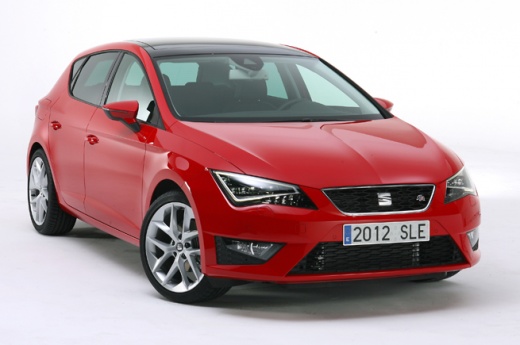
To replace the battery in the key fob of the Seat Leon, press the button on the top of the device to release the key, allowing you to leverage it out of its housing. By prising it from its seat, you can detach the cover on the back of the fob: the battery inside can now be removed and replaced with a new spare part. After replacing the battery, close the fob again with the corresponding panel, ensuring everything works correctly.
Updated on 21 July 2026 by ScegliAuto
Related tutorials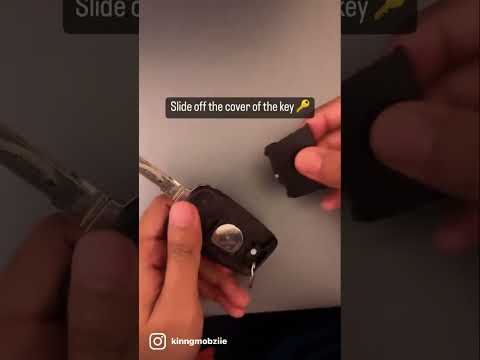
Seat Leon
(2012-2019 /
5F, MK 3)
The following steps will show you how to disassemble and replace the battery of the key fob for the Seat Leon, following the instructions below. Firs…

Seat Leon
(2012-2019 /
5F, MK 3)
Replacing the battery in the key fob of a Seat Leon is a very simple operation. First, you need to release the metal key contained within the fob: to…

Seat Leon
(2020-2026 /
KL1, KL8)
Replacing the battery in the key fob of a 2021 Seat Leon is a simple and quick task. All you need is a small flathead screwdriver and a new battery. …
Other guides you may be interested in
|
How to reset the tyre pressure warning light on the Dacia Sandero?
The tyre pressure warning light that appears on the instrument cluster of the Dacia Sandero can be reset by inflating the tyres until they reach the correct pressure value: this value is indicated on the sticker attached to the driver’s door pillar. Once the inflation is complete, navigate through the menu that appears on the instrument cluster to find the option related to the tyres: select this with the OK button, which should then be held down for a few seconds to completely turn off the light. by ScegliAuto More videos
|
|
For advertising on this site Write to info@scegliauto.com
ScegliAuto is not responsible for any inaccuracy of the data in the lists. To report any inaccuracy or your business (if you own the business in question), please write to info@scegliauto.com
Number of seconds to generate the page: 0.112
(c) ScegliAuto 2026 - info@scegliauto.com - Privacy policy VAT number: IT01247470535 |
