
|
Do it yourself
| |||
| ||||


How to reset the service in the Skoda Citigo?
Model: Skoda Citigo
MK 1
- Years 2011-2020
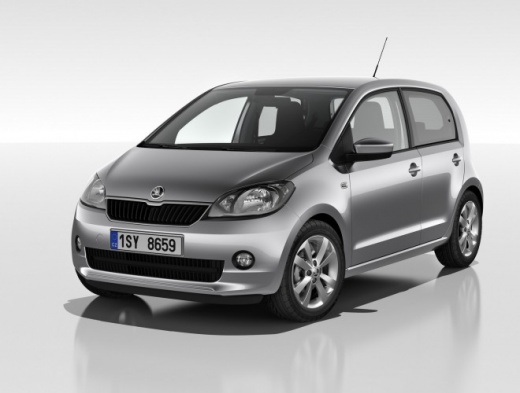
Resetting the service in the Skoda Citigo, as we can see in this tutorial, is an extremely simple and quick operation. Before proceeding, we must have completed all scheduled maintenance tasks. Let's start by going inside the cabin, then insert the key but leave it in the first position. Next, press and hold the "0.0/SET" button located in the center of the dashboard, turn on the instrument cluster at the same time, and after about two seconds, release the button and then press it a second time. To complete the procedure, it will be sufficient to restart the vehicle.
Posted on 14 January 2026 by ScegliAuto
This video is currently unavailable
Related tutorials
Skoda Citigo
(2011-2020 /
MK 1)
Today we will explain how to reset the service light, related to the maintenance on a Skoda Citigo vehicle. To manually reset the light, we should tu…

Skoda Citigo
(2011-2020 /
MK 1)
If the inspection light continues to appear on the dashboard of your Skoda Citigo even after you have serviced the car, you will need to manually res…

Skoda Citigo
(2011-2020 /
MK 1)
If the service light on the instrument panel of your Skoda Citigo continues to stay on constantly, then it is time to discover together how to perfor…
Other guides you may be interested in
|
How to change the time on a Toyota Yaris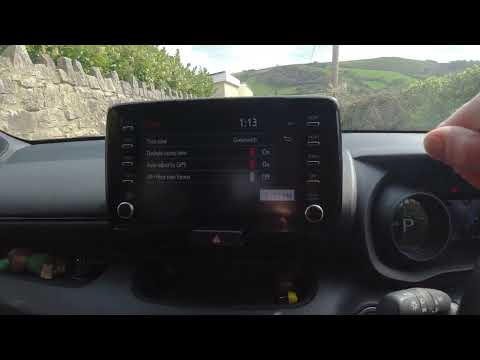
In this video we see how to change the time on a Toyota Yaris, specifically when it comes to switching from daylight saving time to standard time and vice versa. We go to the multifunction screen and press "settings": from there we go to press the clock, simply click on daylight saving time, and the clock will change the time for us, without doing anything else. All we want to do is just adjust the time format to 12 or 24 hours, as is customary in the area where we live: for example in Anglo-Saxon countries it is common to set the time to 12 hours, while in the European Union it is normally set to 24 hours. by ScegliAuto More videos
|
|
For advertising on this site Write to info@scegliauto.com
ScegliAuto is not responsible for any inaccuracy of the data in the lists. To report any inaccuracy or your business (if you own the business in question), please write to info@scegliauto.com
Number of seconds to generate the page: 0.136
(c) ScegliAuto 2026 - info@scegliauto.com - Privacy policy VAT number: IT01247470535 |
