
|
Do it yourself
| |||
| ||||


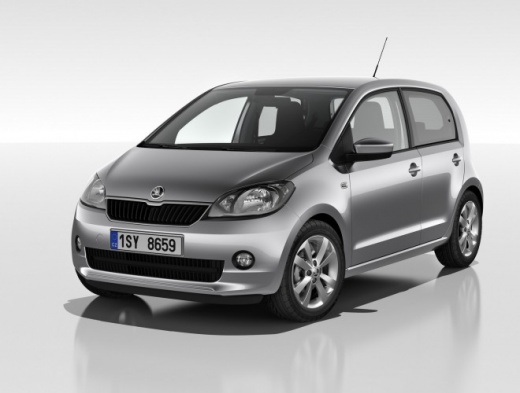
How to Reset the Service Light on a Skoda Citigo?
Model: Skoda Citigo
MK 1
- Years 2011-2020
Resetting the service light on a Skoda Citigo is a straightforward and quick operation. First, ensure that all required scheduled maintenance tasks have been completed. Start by entering the cabin and inserting the key. Then, press and hold the button marked "0.0/SET" located to the right of the speedometer, while simultaneously turning on the ignition. Release the button, press it a second time to complete the reset, and verify the operation was successful by restarting the vehicle.
Updated on 10 August 2026 by ScegliAuto
Video tutorial
Related tutorials
Skoda Citigo
(2011-2020 /
MK 1)
If the service light on the instrument panel of your Skoda Citigo continues to stay on constantly, then it is time to discover together how to perfor…

Skoda Citigo
(2011-2020 /
MK 1)
Today we will explain how to reset the service light, related to the maintenance on a Skoda Citigo vehicle. To manually reset the light, we should tu…

Skoda Citigo
(2011-2020 /
MK 1)
If the inspection light continues to appear on the dashboard of your Skoda Citigo even after you have serviced the car, you will need to manually res…
Other guides you may be interested in
|
How to Check the Oil Level on a Jeep Renegade?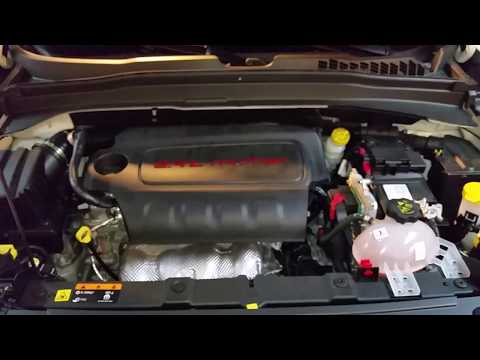
To check the oil level on a Jeep Renegade, you need to open the bonnet to access the components inside the engine bay: on the lower left side of the engine block, you will find the dipstick for checking the level. This should be pulled out and thoroughly cleaned with a cloth: once cleaned, reinsert it back into its tube and pull it out immediately after. This way, you can check that the oil mark is between the minimum and maximum levels; finally, you can place the dipstick back in its tube. by ScegliAuto More videos
|
|
For advertising on this site Write to info@scegliauto.com
ScegliAuto is not responsible for any inaccuracy of the data in the lists. To report any inaccuracy or your business (if you own the business in question), please write to info@scegliauto.com
Number of seconds to generate the page: 0.133
(c) ScegliAuto 2026 - info@scegliauto.com - Privacy policy VAT number: IT01247470535 |
