
|
Do it yourself
| |||
| ||||


How to replace the central engine mount in the Smart ForTwo?
Model: Smart Smart
451
- Years 2007-2015
In this tutorial, we can see how to replace the central engine mount in the Smart ForTwo, a very simple and quick operation. First of all, we lift both rear wheels using preferably two ramps, then we position a jack under the engine and support it enough to prevent it from falling later. We then locate the mount in question, unscrew the two fixing bolts with an E18 key and remove it from the housing. At this point, all that's left to do is insert the replacement, tighten the bolts, and remove the support jack.
Posted on 26 October 2024 by ScegliAuto
Video tutorial
Related tutorials
Smart
(2007-2015 /
451)
In this tutorial, we can see how to replace the central engine support in the Smart ForTwo, an extremely simple operation but still requiring good ma…

Smart
(2007-2015 /
451)
In this tutorial we can see how to replace the alternator in the Smart ForTwo, an operation that requires good manual skills. First of all, disconnec…

Smart
(2007-2015 /
451)
In this tutorial we can see how to replace the car radio in the Smart ForTwo, an extremely simple and fast operation. First of all, make sure that th…
Other guides you may be interested in
|
Replacing the Air Conditioning Fuse on Citroen C3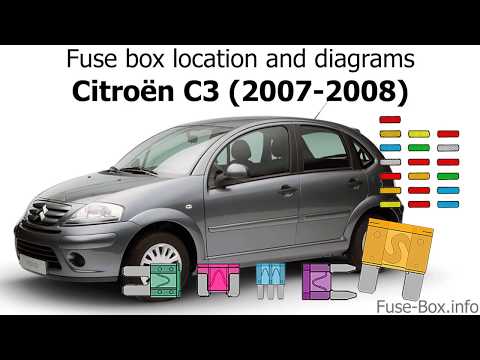
To replace the air conditioning fuse on the C3, locate the fuse position. Use a plastic lever to remove the cover located in the dashboard under the steering wheel (left side), then use pliers to pull out the damaged fuses in the compartment. Once this is done, insert the new fuses into the appropriate slots in the compartment. Finally, close the fuse inspection box with the cover and test for proper operation. You can also find fuses inside the glove compartment on the right side of the dashboard (remove the drawer if necessary). by ScegliAuto More videos
|

|
For advertising on this site Write to info@scegliauto.com
ScegliAuto is not responsible for any inaccuracy of the data in the lists. To report any inaccuracy or your business (if you own the business in question), please write to info@scegliauto.com
Number of seconds to generate the page: 0.112
(c) ScegliAuto 2026 - info@scegliauto.com - Privacy policy VAT number: IT01247470535 |
