
|
Do it yourself
| |||
| ||||


How to Replace the Bulbs on a Smart Fortwo
Model: Smart Smart
450
- Years:
1998, 1999, 2000, 2001, 2002, 2003, 2004, 2005, 2006, 2007
Video tutorial
Replace the damaged bulbs in the front headlight of a Smart Fortwo: unscrew the securing screws located on the grille at the top of the front headlight, remove the grille with the drainage duct inside using a lever or screwdriver. Reach in and remove the bulb from its connector, replacing the damaged bulbs with new ones (ensuring the size and voltage match). Alternatively, you can remove the entire bumper as shown in the video. After replacing the worn bulbs, reassemble the grille in the front compartment. Finally, test the correct operation of the lights by turning on the instrument panel.
Updated on 28 February 2026 by ScegliAuto
Related tutorials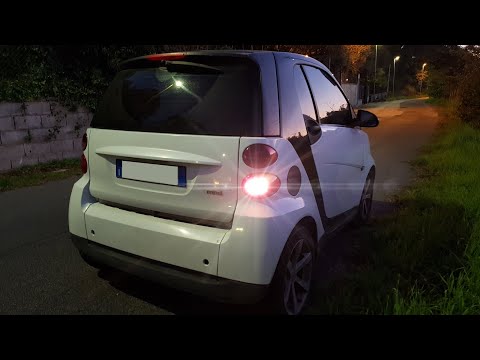
Smart
(2007-2015 /
451)
In this video, learn how to replace the rear light bulbs on a Smart Fortwo. Open the boot, remove the plastic cover located at the sides of the compa…

Smart
(2007-2015 /
451)
In this video, you will learn how to replace the number plate lights on the Smart Fortwo. First, extract the cover of the light: to do this, use some…
Smart
(1998-2007 /
450)
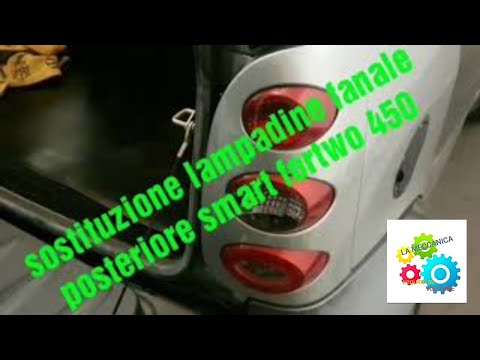
In this video, you will see how to replace the bulb in the tiny Smart Fortwo 450. First, take a 10mm socket and unscrew the two side screws that hold…
Other guides you may be interested in
|
How to Activate the Automatic Folding and Unfolding of the Wing Mirrors on the Jeep Compass
Follow these brief instructions to activate the automatic folding and unfolding of the external wing mirrors on the Jeep Compass. First, get inside the vehicle and turn on the ignition; then press the button located beneath the mirror glass adjustment to electrically open the mirror, as shown in the video. Pressing the button in the opposite direction will close the mirrors; by holding the button, the mirrors will open and close automatically! by ScegliAuto More videos
|
|
For advertising on this site Write to info@scegliauto.com
ScegliAuto is not responsible for any inaccuracy of the data in the lists. To report any inaccuracy or your business (if you own the business in question), please write to info@scegliauto.com
Number of seconds to generate the page: 0.042
(c) ScegliAuto 2026 - info@scegliauto.com - Privacy policy VAT number: IT01247470535 |
