
|
Do it yourself
| |||
| ||||


How do you deactivate the alarm system of the Smart 450?
Model: Smart Smart
450
- Years 1998-2007
Let's talk about the Smart 450, a car for which a presentation video has been inserted, delving into the topic of anti-theft. Is it possible to bypass the anti-theft system? Since we are dealing with electronic and electrical components, yes, it is possible to do so, with some experience in the field and knowing where to make modifications. In practice, one must act on the cables that communicate to the car's ECU the activation of the alarm, which should appear as activated even if it is not in reality. These are usually temporary operations, done while waiting to complete maintenance operations, after which everything returns to normal.
Posted on 26 July 2025 by ScegliAuto
Video tutorial
Related tutorials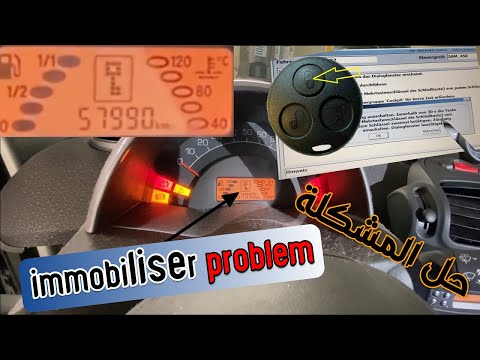
Smart
(1998-2007 /
450)
When the immobiliser warning light appears on the dashboard of the Smart 450, it means that the ignition key inserted is not recognised: this often o…

Smart
(1998-2007 /
450)
From the display of the Smart 450, you can clear the Service light by turning on the instrument cluster, inserting the ignition key into the correspo…

Smart
(1998-2007 /
450)
The method applied and shown in the attached video, valid not only for the Smart Fortwo but for any car, serves exactly what is requested, that is, t…
Other guides you may be interested in |
Frequently Asked QuestionsHow to reset the tyre pressure warning light on the Suzuki Jimny?
To reset the tyre pressure warning light on the Suzuki Jimny, first inflate the tyres to the pressure value indicated on the corresponding sticker: this is located at the bottom of the driver's door pillar. Once the tyres are inflated, insert the ignition key and turn on the instrument panel: select the screen that indicates the tyre pressures, checking that the values change. After a few seconds, the tyre pressure warning light will automatically turn off. by ScegliAuto More videos
|
|
For advertising on this site Write to info@scegliauto.com
ScegliAuto is not responsible for any inaccuracy of the data in the lists. To report any inaccuracy or your business (if you own the business in question), please write to info@scegliauto.com
Number of seconds to generate the page: 0.217
(c) ScegliAuto 2026 - info@scegliauto.com - Privacy policy VAT number: IT01247470535 |
