
|
Do it yourself
| |||
| ||||


How to reset the service light on the Smart ForTwo?
Model: Smart Smart
451
- Years 2007-2015
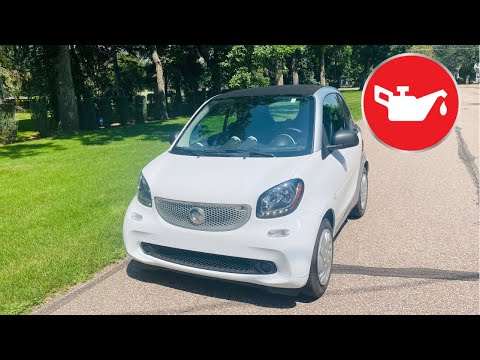
In this tutorial we can see how to reset the service in the Smart ForTwo, an extremely simple and fast operation, to be carried out only once all scheduled maintenance work has been completed. We start by going inside the cabin, then we insert the key and turn on the instrument panel. We then reach the service interval by pressing the button twice on the left side of the dashboard, turn off the panel and turn it on again while holding down the same button, releasing it only once the interval itself has been correctly reset.
Posted on 6 September 2025 by ScegliAuto
Video tutorial
Related tutorials
Smart
(2014-2022 /
453)
In this tutorial we can see how to reset the service in the Smart ForTwo, an extremely simple and quick operation, to be carried out only once all sc…
Smart
(2014-2022 /
453)
In this tutorial we can see how to reset the oil service in the Smart ForTwo, an extremely simple and fast operation, to be carried out only once all…

Smart
(2014-2022 /
453)
In this tutorial, we can see how to reset the service in the Smart ForTwo, an extremely simple and quick operation, to be done only once all schedule…
Other guides you may be interested in
|
How to Remove the Passenger Door Panel on a Volkswagen Polo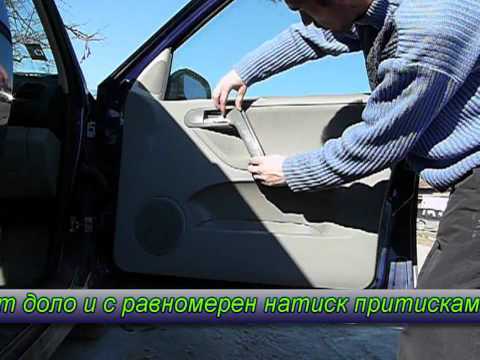
How do you remove the passenger door panel on a Volkswagen Polo? This video illustrates how to proceed. Before starting the disassembly work, disconnect the battery terminals located in the front engine bay. Using a lever or screwdriver, pry at the handle on the door panel to detach its covering. Use a screwdriver to undo any screws present on the panel, then use a plastic lever to detach all the clips around the perimeter of the door panel, and pull it away by hand. Now, disconnect the opening lever cable, the window lift terminals, and the speaker terminals. Reassemble everything by retracing your steps. by ScegliAuto More videos
|

|
For advertising on this site Write to info@scegliauto.com
ScegliAuto is not responsible for any inaccuracy of the data in the lists. To report any inaccuracy or your business (if you own the business in question), please write to info@scegliauto.com
Number of seconds to generate the page: 0.102
(c) ScegliAuto 2026 - info@scegliauto.com - Privacy policy VAT number: IT01247470535 |
