
|
Do it yourself
| |||
| ||||


Resetting the service reminder of the Smart Forfour
Model: Smart Forfour
MK 1, W454
- Years 2004-2006
The instructions in this guide will show us how to reset the maintenance reminder (service) of the Smart Forfour. First, we get on board the cabin and start pressing and holding down the reset button located on the top of the instrument panel; then we turn on the instrument panel by turning the key to position one, waiting for the service mileage counter and maintenance key to be reset, as shown in the video. At this point, we turn off the instrument panel and start the engine, verifying the actual reset of the maintenance reminder!
Posted on 31 October 2025 by ScegliAuto
Video tutorial
Related tutorials
Smart Forfour
(2014-2021 /
W453, MK 2)
The need to reset the partial odometer of our car, in this case the Smart Forfour, may arise because we want to check the fuel consumption of a speci…

Smart Forfour
(2004-2006 /
MK 1, W454)
The fuses of the Smart Forfour are contained inside the appropriate fuse boxes that are installed on board the vehicle: in this type of vehicle it wi…
Smart Forfour
(2014-2021 /
W453, MK 2)
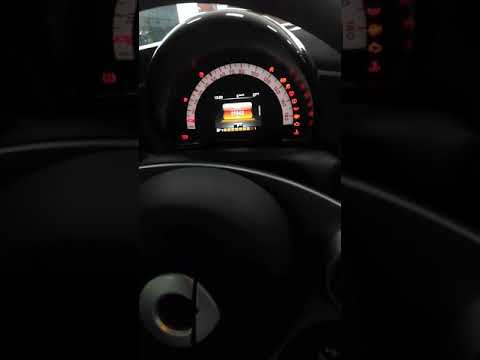
To reset the Service light on the Smart Forfour, you need to turn on the instrument panel and then scroll through the menu on the instrument panel us…
Other guides you may be interested in
|
Removing the Front Arm Bushing of a Hyundai Getz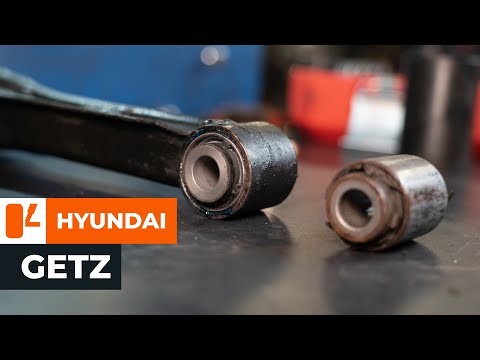
Let's look at removing the front arm bushing of a Hyundai Getz. First, place the car on a column lift and loosen the wheel nuts with a telescopic spanner, then remove the wheel. Use a socket spanner to unscrew the lower securing bolt of the arm and the bolt mounted under the wheel hub, then unscrew the bolts on the upper part of the arm (as shown in the video). Remove the bushing from the bolt housing. Always compare the parts to be replaced with the new ones; if they are suitable, you can install them. Start the installation of the new part: fit the new bushing and tighten all bolts to the specified torque. Double-check the correct tightening of the parts. Refit the wheel to complete the job. by ScegliAuto More videos
|
|
For advertising on this site Write to info@scegliauto.com
ScegliAuto is not responsible for any inaccuracy of the data in the lists. To report any inaccuracy or your business (if you own the business in question), please write to info@scegliauto.com
Number of seconds to generate the page: 0.104
(c) ScegliAuto 2026 - info@scegliauto.com - Privacy policy VAT number: IT01247470535 |
