
|
Do it yourself
| |||
| ||||


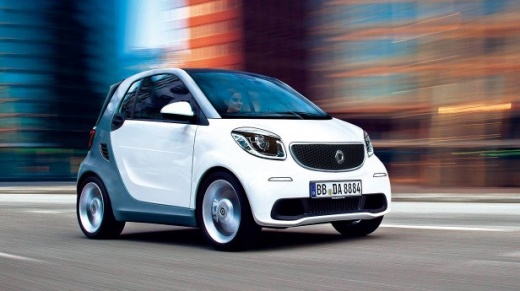
How do you program the key for the Smart?
Model: Smart Smart
453
- Years:
2014, 2015, 2016, 2017, 2018, 2019, 2020, 2021, 2022
Video tutorial
It will be possible to program the new Smart key by inserting the virgin key into the corresponding ignition switch. Once the key has been turned, a diagnostic tool must be connected to the vehicle's OBD port, located under the steering column. At this point, it will be possible to select the specific car model and its corresponding version: then, you must follow the instructions displayed on the screen to ensure that the new key is coded. After coding, the scanner should be disconnected, confirming that everything is functioning properly.
Posted on 7 December 2025 by ScegliAuto
Related tutorials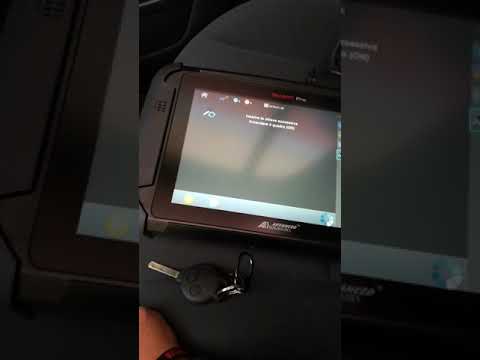
Smart
(2007-2015 /
451)
If you need to program a second key for your vehicle, follow the instructions in this description and refer to the images in the video. First, connec…

Smart
(2007-2015 /
451)
You can program the key for a Smart ForTwo by inserting the ignition key into the ignition switch and then connecting a diagnostic tool to the vehicl…
Smart
(2007-2015 /
451)
To program the Smart key, you need a diagnostic tool: insert the virgin key into the ignition slot located on the centre console and then connect the…
Other guides you may be interested in
|
Frequently Asked QuestionsHow to Open the Fuel Flap and Cap on an MG HS
This guide will show you how to open the fuel flap and cap on an MG HS in simple steps. To open the fuel flap, ensure the vehicle is unlocked; then press on the edge of the flap to open it, as shown in the video. Next, unscrew the fuel cap counterclockwise to refuel at the pump; once finished, screw the cap back on until it clicks, and finally close the fuel flap! by ScegliAuto More videos
|
|
For advertising on this site Write to info@scegliauto.com
ScegliAuto is not responsible for any inaccuracy of the data in the lists. To report any inaccuracy or your business (if you own the business in question), please write to info@scegliauto.com
Number of seconds to generate the page: 1.381
(c) ScegliAuto 2026 - info@scegliauto.com - Privacy policy VAT number: IT01247470535 |
