
|
Do it yourself
| |||
| ||||


How to Reset the Radio on a Smart 453?
Model: Smart Smart
453
- Years:
2014, 2015, 2016, 2017, 2018, 2019, 2020, 2021, 2022
Video tutorial
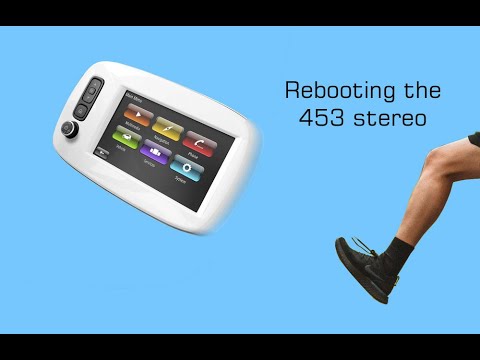
The vehicle shown in the video is the Smart 453, and we will explain how to reset the radio. In fact, this procedure applies to any type of vehicle, car or otherwise, as it is advantageous because anyone can perform it and it does not require special technical skills. Locate the fuse for the radio in the fuse box located in the glove compartment of the dashboard, passenger side, disconnect it, wait a moment, and reconnect it. This allows you to clear any activities that may have been stored in memory, effectively resetting the radio.
Posted on 9 April 2026 by ScegliAuto
Related tutorials
Smart
(2014-2022 /
453)
The technological upgrade of a car, such as the Smart, whether it is the Smart 453 or other models, can be done not only by yourself, but even with a…
Smart
(2014-2022 /
453)
To reset the infotainment system of the Smart 453, turn on the vehicle's instrument cluster by inserting the ignition key into the corresponding slot…

Smart
(2014-2022 /
453)
If you own a Smart 453 and want to find all the various fuses in the car, simply follow the steps outlined below. First, reach the passenger seat, th…
Other guides you may be interested in
|
Frequently Asked QuestionsHow to Set the Time on an Audi A6
Briefly, we will see the instructions to set the time on the Audi A6 by following these simple steps. First, get inside the vehicle and turn on the instrument cluster; then press the settings button and navigate to the time option to confirm your choice, as shown in the video. At this point, set the correct time and format, then exit the settings menu to save the changes made; finally, start the engine and ensure that the time has been set correctly! by ScegliAuto More videos
|
|
For advertising on this site Write to info@scegliauto.com
ScegliAuto is not responsible for any inaccuracy of the data in the lists. To report any inaccuracy or your business (if you own the business in question), please write to info@scegliauto.com
Number of seconds to generate the page: 0.111
(c) ScegliAuto 2026 - info@scegliauto.com - Privacy policy VAT number: IT01247470535 |
