
|
Do it yourself
| |||
| ||||


How to Replace the Outer Handle on the Smart ForFour?
Model: Smart Forfour
W454, MK 1
- Years 2004-2006
Video tutorial
Detailed instructions - To replace the outer handle on the Smart ForFour, open the relevant door and detach the side panel near the handle. Once this panel is removed, proceed to loosen the bolt underneath that secures the handle in its place. At this point, disconnect the cable attached to it, allowing you to connect it to the new replacement part. Then, insert the handle into its position, secure it with screws, and check that everything functions correctly.
Posted on 13 July 2026 by ScegliAuto
Related tutorials
Smart Forfour
(2004-2006 /
W454, MK 1)
To replace the headlight bulb on the Smart Forfour, loosen the screws that secure the inner wheel arch cover corresponding to the bulb to be replaced…

Smart Forfour
(2014-2021 /
MK 2, W453)
The need to reset the partial odometer of our car, in this case the Smart Forfour, may arise because we want to check the fuel consumption of a speci…
Smart Forfour
(2004-2006 /
W454, MK 1)
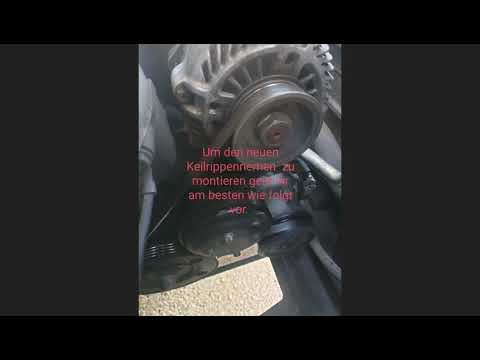
To replace the serpentine belt on a Smart Forfour, loosen the screws that secure the front wheel to its housing, then remove the inner wheel arch lin…
Other guides you may be interested in
|
How to Adjust the Handbrake on a BMW 1 Series?
To adjust the handbrake on a BMW 1 Series, use a tool to pry off the leather cover that wraps around the base of the handbrake lever. Once this cover is removed, you will be able to locate the spring that regulates the handbrake tension. At this point, adjust the nut located at the base of the spring: tightening the nut will make the handbrake firmer and reduce the lever's travel. Conversely, loosening the nut will decrease the handbrake's firmness and increase the lever's travel. by ScegliAuto More videos
|
|
For advertising on this site Write to info@scegliauto.com
ScegliAuto is not responsible for any inaccuracy of the data in the lists. To report any inaccuracy or your business (if you own the business in question), please write to info@scegliauto.com
Number of seconds to generate the page: 0.064
(c) ScegliAuto 2026 - info@scegliauto.com - Privacy policy VAT number: IT01247470535 |
