
|
Do it yourself
| |||
| ||||


Clock adjustment on Smart Fortwo
Model: Smart Smart
451
- Years 2007-2015
To set the clock on the instrument panel of your Smart, start by turning on the panel itself, using the special ignition key. On your right, in the lower corner of the instrument panel, you will notice a small button: keep it pressed until the time flashes. At this point, release the button and resume holding it down if you need to increase the time value (for example from 4: 00 to 5: 00), instead keep the left button pressed if you need to decrease it (for example from 4: 00: 00 to 2: 00). Nothing easier! Turn off the ignition and turn it on again.
Posted on 6 January 2021 by ScegliAuto
Video tutorial
Related tutorials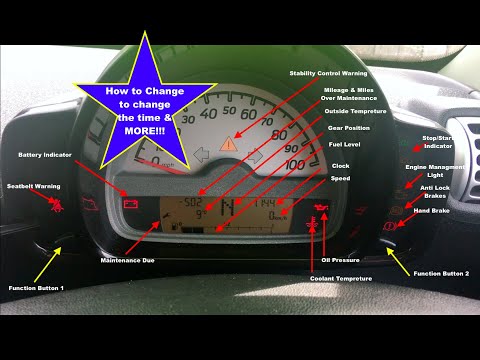
Smart
(1998-2007 /
450)
Today we will see how to adjust the time and date of a Smart Fortwo first series; the operation is very simple and does not require the use of any to…
Smart
(2014-2022 /
453)
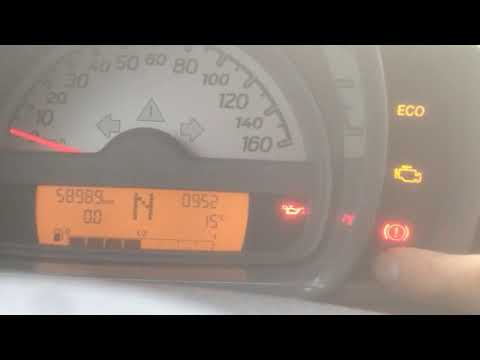
Hi everyone! Today we are going to see an adjustment that will seem trivial to most but which is sometimes more complicated than expected. We are on …
Smart
(2007-2015 /
451)
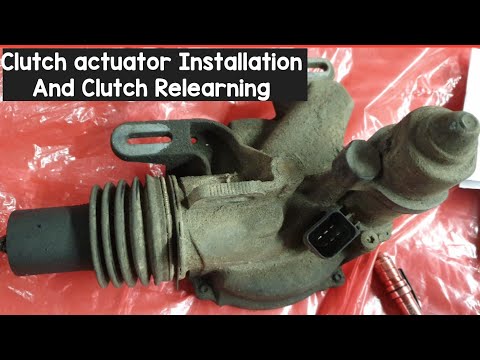
In today's video tutorial we will see how to install the clutch actuator on the Smart Fortwo 451, following the instructions below. First of all we l…
Other guides you may be interested in
|
Removing the Ignition Switch from a Mercedes C-Class W204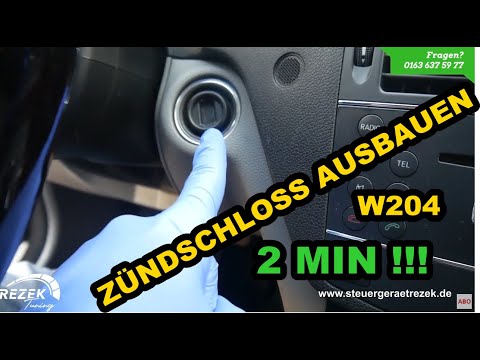
In this short video, you will see how to remove the ignition switch from a Mercedes C-Class (Mercedes W204). First, remove the chrome trim (if present) around the ignition switch by prying it off with a screwdriver (preferably something soft to avoid damaging the dashboard). Next, remove the plastic trim around the gauge cluster where the tachometer and speedometer are located, as well as the rectangular plastic trim surrounding the steering wheel. Simply unclip it. Now, press and push the ignition switch to release it from the housing, and you're done! by ScegliAuto More videos
|

|
For advertising on this site Write to info@scegliauto.com
ScegliAuto is not responsible for any inaccuracy of the data in the lists. To report any inaccuracy or your business (if you own the business in question), please write to info@scegliauto.com
Number of seconds to generate the page: 0.156
(c) ScegliAuto 2026 - info@scegliauto.com - Privacy policy VAT number: IT01247470535 |
