
|
Do it yourself
| |||
| ||||


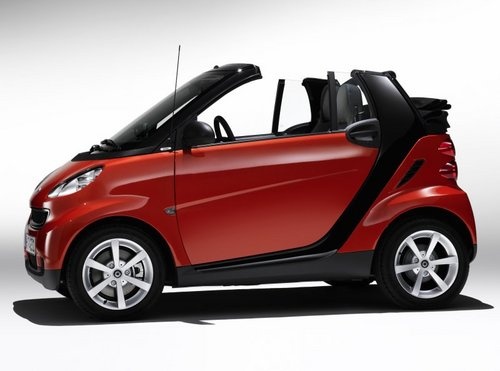
Removing the Front Bonnet of Smart 451
Model: Smart Smart
451
- Years:
2007, 2008, 2009, 2010, 2011, 2012, 2013, 2014, 2015
Video tutorial
Remove the front bonnet of the Smart Fortwo. Open the plastic levers located at the sides of the front grille with your hands. Once the front plastic is free, lift it upwards with your hands, then remove it from the body of the vehicle as shown in the video. After removing the front bonnet, perform maintenance on your car. Once maintenance is complete, secure the front bonnet to the front of the vehicle and then at the bottom. After fitting the front bonnet, close the opening levers with your hands. Check the correct fitting and mounting of the bonnet.
Updated on 4 April 2026 by ScegliAuto
Related tutorials
Smart
(2007-2015 /
451)
In today's video, you will see how to remove the front bonnet on a Smart Fortwo 451, second series, by following these simple steps. First, position …
Smart
(2007-2015 /
451)
In this video tutorial, you will learn how to open the bonnet of a Smart Fortwo 451 in the following steps. First, unlock the bonnet by opening the l…
Smart
(2007-2015 /
451)
In this video, learn how to remove and replace the front headlamp on the Smart Fortwo 451, second series, in simple and quick steps. First, open the …
Other guides you may be interested in
|
How to Use the Key of the Kia Sportage to Open the Car?
It is very unlikely, but if it happens, know that there is a way to solve the problem. If the remote battery dies, no worries, this video shows how to use the key to open the door for the Kia Sportage and many other vehicles. Remove the key from the remote, take off the cover of the lock cylinder mentioned above, and insert the key to open it, turning it anti-clockwise. Once done, carefully reattach the cover without scratching the bodywork, ensuring it is securely fastened. by ScegliAuto More videos
|
|
For advertising on this site Write to info@scegliauto.com
ScegliAuto is not responsible for any inaccuracy of the data in the lists. To report any inaccuracy or your business (if you own the business in question), please write to info@scegliauto.com
Number of seconds to generate the page: 0.021
(c) ScegliAuto 2026 - info@scegliauto.com - Privacy policy VAT number: IT01247470535 |
