
|
Do it yourself
| |||
| ||||


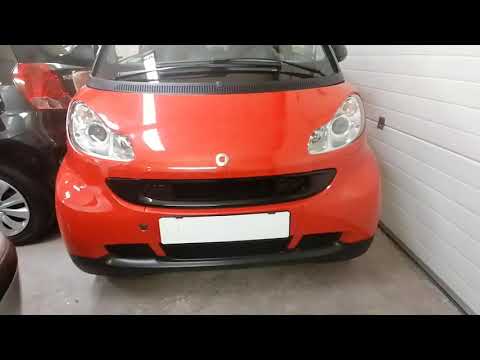
How to open and close the front hood of the Smart Fortwo?
Model: Smart Smart
453
- Years 2014-2022
Below are the instructions and how you need to open and then close the front hood of a Smart Fortwo: to open the front hood you need to release the levers located on the sides of the radiator grille, the two levers must be pull forwards and inwards, in this way the hood is unlocked and to open it completely it is sufficient to lift it (it has no hinges). To close it, it is necessary to place it on top of the headlights in an aligned manner, after which exert pressure pushing it towards the windscreen to hook it correctly.
Posted on 27 April 2022 by ScegliAuto
Video tutorial
Related tutorials
Smart
(2007-2015 /
451)
To open the front hood of the Smart Fortwo model E451, we need to pull the hood opening lever located inside the vehicle; specifically under the stee…
Smart
(1998-2007 /
450)
In today's video we will see how to correctly open the front hood of a Smart Fortwo first series, following these simple instructions. To open the fr…

Smart
(2007-2015 /
451)
Do you want to open or close the fabric roof on top of your Smart Fortwo? Here’s how to open/close the cover. Operate the roof opening buttons from i…
Other guides you may be interested in
|
How to Remove the Fuel Pump from the Tank on an Opel Astra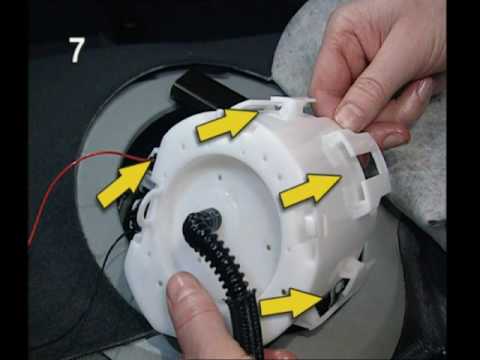
How to remove the fuel pump from the tank on an Opel Astra? First, disconnect the battery cables. Next, remove the rear seat cushions from the car. Use a socket spanner to unscrew the securing screws of the metal cap (located on the metal panel), then remove it from its seat. Use absorbent paper around the perimeter to soak up any liquid leaks. Unscrew the large securing bolt of the fuel pump (if present on the model), disconnect the power connectors and the liquid circulation pipes. Extract the floating fuel pump from its seat along with any attached parts. Finally, refit a new piece. by ScegliAuto More videos
|

|
For advertising on this site Write to info@scegliauto.com
ScegliAuto is not responsible for any inaccuracy of the data in the lists. To report any inaccuracy or your business (if you own the business in question), please write to info@scegliauto.com
Number of seconds to generate the page: 0.062
(c) ScegliAuto 2026 - info@scegliauto.com - Privacy policy VAT number: IT01247470535 |
