
|
Do it yourself
| |||
| ||||


How to reset the service in the Smart ForFour?
Model: Smart Forfour
W453, MK 2
- Years 2014-2021
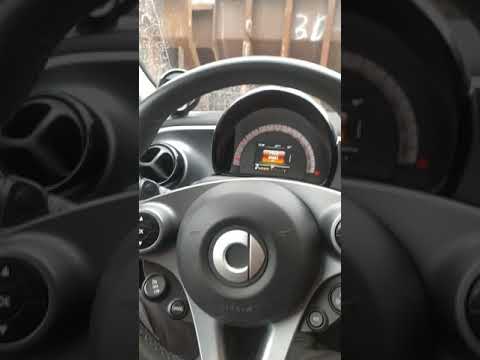
In this tutorial we can see how to reset the service in the Smart ForFour, a very simple and fast operation, to be carried out only after having carried out all the required scheduled maintenance work. First we insert the key and turn on the instrument panel, then we scroll through the various screens of the display using the directional arrows on the left side of the steering wheel. Once you have reached the maintenance screen, press and hold the OK button. We keep the pressure for about 30 seconds, or in any case for the time necessary to completely reset the service.
Posted on 12 October 2022 by ScegliAuto
Video tutorial
Related tutorials
Smart Forfour
(2014-2021 /
W453, MK 2)
.. In this tutorial we can see how to reset the service in the Smart ForFour, an extremely simple and quick operation, to be carried.. …

Smart Forfour
(2004-2006 /
MK 1, W454)
.. In this tutorial we can see how to reset the service in the Smart ForFour, an extremely simple and quick operation, to be carried.. …
Smart Forfour
(2014-2021 /
W453, MK 2)
.. In this tutorial we can see how to reset the service in the Smart ForFour, an extremely simple and quick operation, to be carried.. …
Other guides you may be interested in
|
How to Reset the Tyre Pressure Indicator on a Jeep Wrangler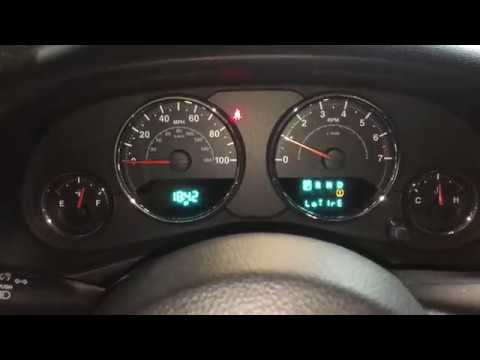
This procedure does not require any special tools or skills. After starting your vehicle and noticing the indicator on the dashboard display, simply open the driver's side door to get the correct pressure settings for both front and rear tyres. Inflate your tyres to the indicated pressures, then restart the vehicle's onboard computer. If the indicator continues to flash, contact a specialist to check the relevant sensor. by ScegliAuto More videos
|
|
For advertising on this site Write to info@scegliauto.com
ScegliAuto is not responsible for any inaccuracy of the data in the lists. To report any inaccuracy or your business (if you own the business in question), please write to info@scegliauto.com
Number of seconds to generate the page: 0.113
(c) ScegliAuto 2026 - info@scegliauto.com - Privacy policy VAT number: IT01247470535 |
