
|
Do it yourself
| |||
| ||||


Reset service warning light on Smart 2010
Model: Smart Smart
451
- Years 2007-2015
To reset the orange light with the wrench symbol it is necessary to follow the following procedure: turn the key and turn on the ignition (do not start the engine), press the lever located on the left of the dashboard twice until the service indicator. Turn the key and turn off the ignition. Press and hold the lever on the left of the dashboard again while turning the ignition on again by turning the key, until the service symbol disappears. To check whether the service warning light has actually gone out, turn the ignition off and on again.
Posted on 21 October 2022 by ScegliAuto
Video tutorial
Related tutorials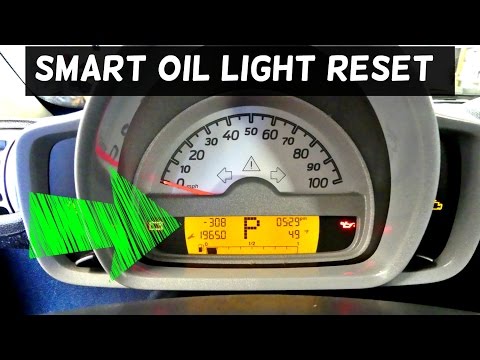
Smart
(2007-2015 /
451)
If the service warning light (in the shape of a spanner) flashes on the instrument cluster display, it means it's time for maintenance. Once you have…

Smart
(2003-2005 /
452, Roadster)
In this guide we will see the instructions that will allow us to perform the routine maintenance check, and then reset the service light of the Smart…

Smart
(2003-2005 /
452, Roadster)
It will be possible to completely reset the Service light displayed on the instrument panel of the Smart Roadster by holding down the button located …
Other guides you may be interested in
|
How to Disassemble and Remove the Rear Camera of a Mercedes CLA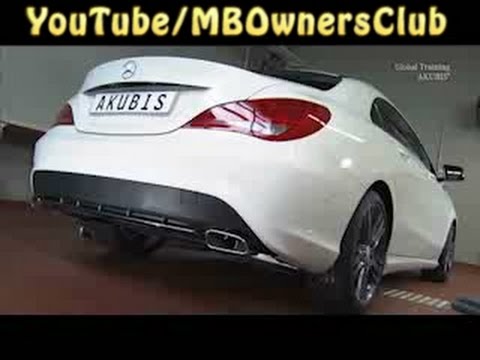
In this video, see how to disassemble and remove the camera (where the license plate light is located) from the rear hatch of a Mercedes CLA. First, open the rear hatch of the car, then remove the rear license plate. Use a screwdriver to remove the screws on the plastic trim of the hatch. Disconnect the plastic trim of the license plate light from the hatch, and use a screwdriver to remove the retaining clips (located between the hatch metal and the plastic trim). Finally, remove the rear camera located in the hatch (disconnect the power connector of the camera) of the car. For reassembly, proceed in reverse order. by ScegliAuto More videos
|

|
For advertising on this site Write to info@scegliauto.com
ScegliAuto is not responsible for any inaccuracy of the data in the lists. To report any inaccuracy or your business (if you own the business in question), please write to info@scegliauto.com
Number of seconds to generate the page: 0.223
(c) ScegliAuto 2026 - info@scegliauto.com - Privacy policy VAT number: IT01247470535 |
