
|
Do it yourself
| |||
| ||||


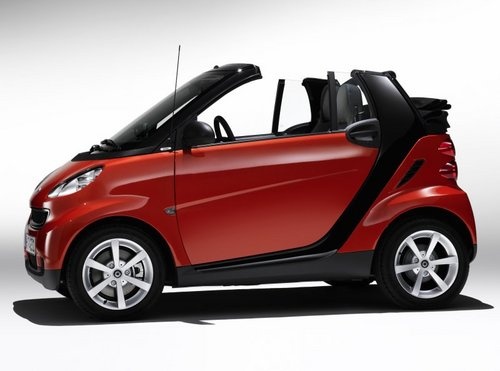
How to Install a 2-DIN Car Radio in a Smart 451
Model: Smart Smart
451
- Years:
2007, 2008, 2009, 2010, 2011, 2012, 2013, 2014, 2015
Video tutorial
To install a double DIN car radio or multimedia system in a Smart 451, you need to: remove the panel on the central console that contains the hazard light switch and central locking controls; the panel is clipped in. Under the panel, you will find three screws that need to be removed to extract the radio support trim; gently pull the trim towards you to free the clips. Below the trim, locate the other four screws securing the radio, at which point you can extract the unit, taking care to disconnect all connectors and wiring, including the antenna. Finally, reverse all the steps to reassemble everything.
Updated on 21 June 2026 by ScegliAuto
Related tutorials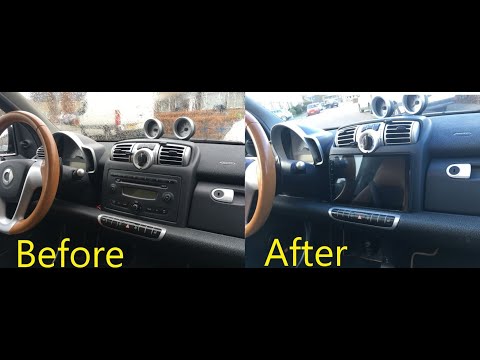
Smart
(2007-2015 /
451)
Remove the control panel of the centre console using a screwdriver, remembering to disconnect the power connector. Unscrew the screw at the back. Now…
Smart
(2007-2015 /
451)
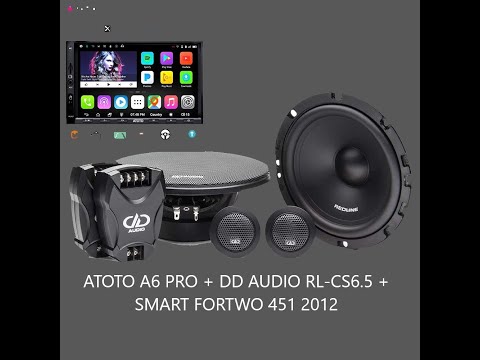
In today's video, see how to replace the speakers and the radio in the Smart 451. First, purchase the specific components from major online parts sup…

Smart
(1998-2007 /
450)
In today's video, you will see how to replace the original radio in the first series Smart. Specifically, how to replace a 1 DIN radio with a 2 DIN u…
Other guides you may be interested in |
Frequently Asked QuestionsHow to Open the Fuel Filler Flap in the Hyundai i30?
In this tutorial, you will learn how to open the fuel filler flap in the Hyundai i30, a very simple operation that follows the typical procedure of most vehicles. First, unlock the locks using the designated button on the remote, then open the driver's door, locate the release lever on the left side of the seat, and operate it. Next, move to the fuel filler flap, open it completely, unscrew the cap, and refuel as needed. To close the flap, simply press it gently. by ScegliAuto More videos
|
|
For advertising on this site Write to info@scegliauto.com
ScegliAuto is not responsible for any inaccuracy of the data in the lists. To report any inaccuracy or your business (if you own the business in question), please write to info@scegliauto.com
Number of seconds to generate the page: 0.016
(c) ScegliAuto 2026 - info@scegliauto.com - Privacy policy VAT number: IT01247470535 |
