
|
Do it yourself
| |||
| ||||


Service Light Reset Instructions
Model: Smart Smart
451
- Years 2007-2015
If the service warning light (in the shape of a spanner) flashes on the instrument cluster display, it means it's time for maintenance. Once you have performed the regular maintenance by replacing the engine oil and the corresponding filter, you can proceed with resetting the Service light: this is a manual procedure that does not require diagnostic assistance and is carried out using the trip reset button. Turn on the ignition and press the reset button twice until the service light appears, then hold it down until it disappears.
Updated on 19 February 2026 by ScegliAuto
Video tutorial
Related tutorials
Smart
(2003-2005 /
452, Roadster)
In this guide we will see the instructions that will allow us to perform the routine maintenance check, and then reset the service light of the Smart…

Smart
(2014-2022 /
453)
Today's instructions will allow us to reset the service warning for the regular maintenance of the engine oil change for the Smart Fortwo. First, let…

Smart
(2003-2005 /
452, Roadster)
It will be possible to completely reset the Service light displayed on the instrument panel of the Smart Roadster by holding down the button located …
Other guides you may be interested in
|
How to Replace the Rear Headlight Bulbs on a Peugeot 308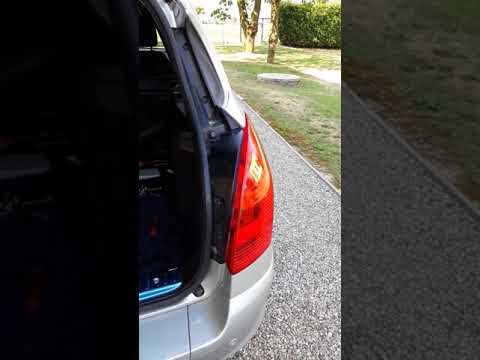
Are the rear lights on your Peugeot 308 SW not working? This video shows how to replace the damaged bulbs. Open the boot lid, and using a screwdriver, unscrew (with a socket wrench or screwdriver with a bit) the securing nuts located at the side of the rear headlight. Once the headlight is free from any constraints, detach it from the bodywork (disconnect the relevant power connectors). Replace the damaged bulbs with identical ones in size and voltage. Finally, refit the headlight and reverse the assembly of the other parts. by ScegliAuto More videos
|

|
For advertising on this site Write to info@scegliauto.com
ScegliAuto is not responsible for any inaccuracy of the data in the lists. To report any inaccuracy or your business (if you own the business in question), please write to info@scegliauto.com
Number of seconds to generate the page: 0.192
(c) ScegliAuto 2026 - info@scegliauto.com - Privacy policy VAT number: IT01247470535 |
