
|
Do it yourself
| |||
| ||||


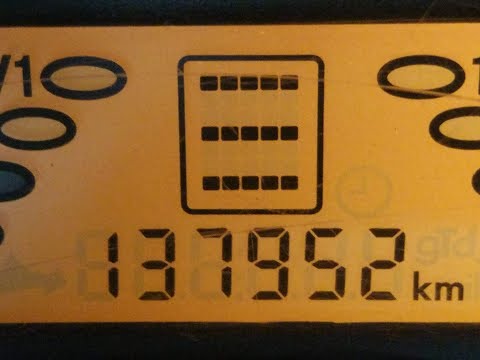
What to do when three horizontal lines appear on the Smart display
Model: Smart Smart
450
- Years:
1998, 1999, 2000, 2001, 2002, 2003, 2004, 2005, 2006, 2007
Video tutorial
In this video we see what to do when three horizontal lines appear on the instrument panel of the Smart: the youtuber simply suggests disconnecting the negative cable from the battery, and reattaching it after about five/ten minutes, so that the control unit can reset, in the same way you would restart a computer or our smartphone. Upon restart, the control unit may say some nonsense, because it needs to reboot, but after the second or third restart at most, we will see that the car will start again with the indication of "N", that is, neutral. It is advisable to always carry a set of keys with the Smart, for safety.
Posted on 22 July 2025 by ScegliAuto
Related tutorials
Smart
(2007-2015 /
451)
When we see the three horizontal bars on the dashboard of our Smart, they indicate a fault or malfunction of the automatic transmission; in fact, it …
Smart
(2007-2015 /
451)
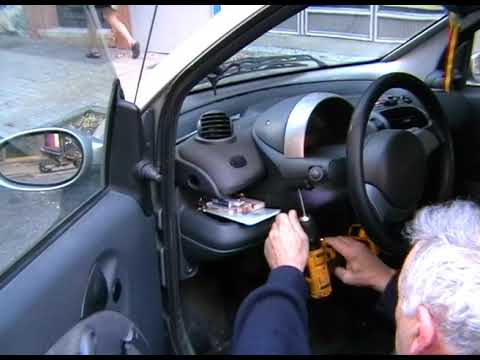
When the instrument cluster of the Smart shows three lines, it indicates that there are issues with the gearbox and it cannot engage; otherwise, an "…
Smart
(1998-2007 /
450)
To remove the instrument cluster from the Smart 450, loosen the three screws located under the steering column. Once the three screws are loosened an…
Other guides you may be interested in
|
Replacing the Gear Knob on the Renault Espace
The following steps will show you how to remove and replace the gear knob of the manual gearbox on the Renault Espace. First, get in the vehicle and start by removing the small upper cover of the knob; to remove it, simply pull the gear knob upwards with force to detach it from the lever, as shown in the video. At this point, remove and replace the gear gaiter if necessary, installing the new one; finally, insert the new gear knob, securing it properly onto the lever (ensure there is no play between the lever and the knob). by ScegliAuto More videos
|
|
For advertising on this site Write to info@scegliauto.com
ScegliAuto is not responsible for any inaccuracy of the data in the lists. To report any inaccuracy or your business (if you own the business in question), please write to info@scegliauto.com
Number of seconds to generate the page: 0.116
(c) ScegliAuto 2026 - info@scegliauto.com - Privacy policy VAT number: IT01247470535 |
