
|
Do it yourself
| |||
| ||||


How do you reset the Service light on the Smart Forfour?
Model: Smart Smart
Fourfour1, 454
- Years 2004-2006
The operation of resetting the Service light of the Smart Forfour is done by holding down the button located in the upper left part of the instrument panel: you will need to hold it down while the panel is turned off. While continuing to hold down this button, you will need to insert the ignition key into the ignition switch and turn it to turn on the instrument panel: once it is turned on, you will need to wait for the light to be reset. At this point, you can release the button and then turn off the instrument panel, verifying that the reset has been done correctly.
Posted on 20 December 2023 by ScegliAuto
Video tutorial
Related tutorials
Smart
(2004-2006 /
Fourfour1, 454)
Let's see in this video how to turn off the service light on a Smart Forfour: the correct method varies depending on the year of production. For the …

Smart
(2004-2006 /
Fourfour1, 454)
It will be possible to completely make the Service light disappear from the dashboard of the Smart Forfour by holding down the button located at the …

Smart
(2004-2006 /
Fourfour1, 454)
To perform the service light reset on a 2004 Smart Forfour vehicle, we need to turn on the instrument panel and press the TRIP button next to the dis…
Other guides you may be interested in
|
How to Remove the Front Headlamp of a Renault Clio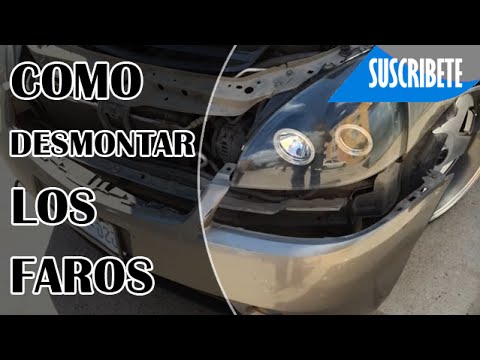
Remove the front headlamp of a Renault Clio. Open the bonnet by pulling the release lever and secure it; using a battery-powered screwdriver or a screwdriver, undo the securing bolts located at the top of the bumper. Once the screws at the top are undone, remove the splash guard bolts and finally remove the bolts at the bottom of the bumper. Carefully detach the bumper from the body of the vehicle. At this point, disconnect the headlamps from the body (undo the securing bolts) and the bulb holder from the headlamp. Fit the new headlamp with new bulbs if damaged (always ensure the correct type and size) and insert the headlamp into its housing. Finally, refit the front bumper and tighten the bolts. by ScegliAuto More videos
|
|
For advertising on this site Write to info@scegliauto.com
ScegliAuto is not responsible for any inaccuracy of the data in the lists. To report any inaccuracy or your business (if you own the business in question), please write to info@scegliauto.com
Number of seconds to generate the page: 0.108
(c) ScegliAuto 2026 - info@scegliauto.com - Privacy policy VAT number: IT01247470535 |
