
|
Do it yourself
| |||
| ||||


How do you reset the automatic transmission of the Smart car?
Model: Smart Smart
450
- Years 1998-2007
The flashing letter N appearing on the Smart's instrument panel indicates that the automatic transmission has a malfunction. To temporarily resolve this issue, you can put the car in gear when the engine is off. At this point, with the gear engaged and the ignition key in position two, you will need to push the car so that it can start. Once the brake pedal is released during the pushing operation, the car will start. However, it is necessary to promptly go to the workshop to perform a diagnosis and identify the cause of the malfunction.
Posted on 29 February 2024 by ScegliAuto
Video tutorial
Related tutorials
Smart
(2007-2015 /
451)
In order to reset the automatic transmission of the Smart, you need to connect a diagnostic tool to the OBD port of the vehicle: this port can be fou…

Smart
(2007-2015 /
451)
In order to reset the automatic transmission of the Smart Brabus, you need to connect a diagnostic tool to the OBD port of the vehicle: this port can…

Smart
(2007-2015 /
451)
On the Smart Fortwo, when the flashing letter N appears on the instrument panel, it means that there is a problem with the automatic transmission. To…
Other guides you may be interested in
|
Frequently Asked QuestionsHow to Remove the Steering Wheel Airbag on a Dodge Journey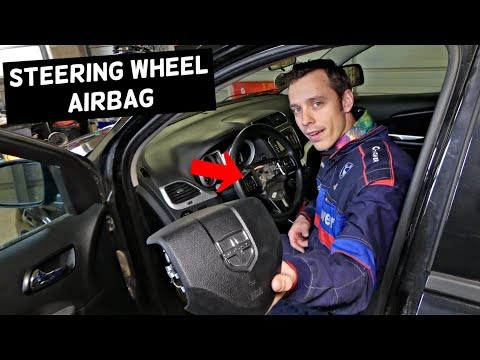
How to remove the steering wheel airbag on a Dodge Journey? Follow these steps. Before removing the steering wheel, disconnect the battery terminals located in the engine bay. Remove the inspection caps from the back of the steering wheel, then unscrew the airbag retaining bolts with a socket wrench. Once the driver’s airbag is released, disconnect the power connectors and remove the airbag from the steering wheel. For reinstallation: connect the power connectors, then press the airbag back onto the steering wheel while simultaneously tightening the rear bolts. by ScegliAuto More videos
|
|
For advertising on this site Write to info@scegliauto.com
ScegliAuto is not responsible for any inaccuracy of the data in the lists. To report any inaccuracy or your business (if you own the business in question), please write to info@scegliauto.com
Number of seconds to generate the page: 0.137
(c) ScegliAuto 2026 - info@scegliauto.com - Privacy policy VAT number: IT01247470535 |
