
|
Do it yourself
| |||
| ||||


How to Reset the Smart Key Lock Without Buttons?
Model: Smart Smart Various
Video tutorial
In this video, see how to reset a smart key lock: you will need a specific device, as shown in the video. You can find it on the ubuy.co.uk website with the code 8990074 - it is the "Kwikset 83260 smartkey reset base" costing £43; a simple and easy-to-use tool for fixing incorrectly programmed smart key cylinders. Simply insert the cylinder into the tool, turn it to the left, and you will see that inserting the key into the cylinder now allows it to turn perfectly. You can then place the cylinder back in its housing, resolving the issue.
Updated on 23 September 2026 by ScegliAuto
Related tutorials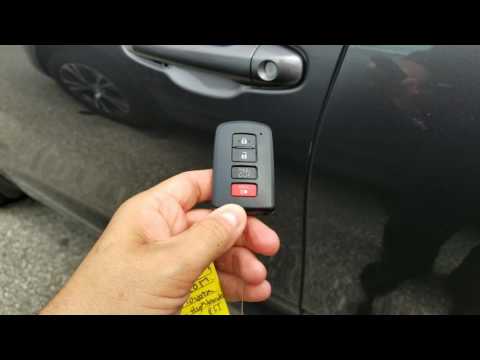
Smart Smart Various
In this video tutorial, we can see how to use the Toyota Smart Key and the functions of the various buttons. On the front, there are 4 buttons; start…
Smart Smart Various
The Smart Key, despite some people still viewing it with a degree of suspicion, has become commonplace and is extremely useful, especially for city c…

Smart Smart Various
In this video, the YouTuber shares useful information about smart keys, which are keys without a visible blade for inserting into a lock. These keys …
Other guides you may be interested in |
How to Activate the Automatic Folding and Unfolding of the Wing Mirrors on the Jeep Compass
Follow these brief instructions to activate the automatic folding and unfolding of the external wing mirrors on the Jeep Compass. First, get inside the vehicle and turn on the ignition; then press the button located beneath the mirror glass adjustment to electrically open the mirror, as shown in the video. Pressing the button in the opposite direction will close the mirrors; by holding the button, the mirrors will open and close automatically! by ScegliAuto More videos
|
|
For advertising on this site Write to info@scegliauto.com
ScegliAuto is not responsible for any inaccuracy of the data in the lists. To report any inaccuracy or your business (if you own the business in question), please write to info@scegliauto.com
Number of seconds to generate the page: 0.071
(c) ScegliAuto 2026 - info@scegliauto.com - Privacy policy VAT number: IT01247470535 |
