
|
Do it yourself
| |||
| ||||


Smart Smart Various - Video guides Smart Smart Various Resetting the Smart Service light After changing the engine oil and filter of the Smart car, we reset the module that reminds us to make this replacement, with a reminder on the instrument …Read all… Posted on 17 May 2025 by ScegliAuto  Smart Smart Various How to remove and seal the rear window of a Smart 450 To do this operation, we need to start by removing the seal from the inside: we can see that there is a small tab in the corner that we can remove using a …Read all… Posted on 9 May 2025 by ScegliAuto  Smart Smart Various How to Make an Old Car Smart In this video, you will learn how to make an old car smart: it just needs to have a connection to a power socket via the cigarette lighter. The YouTuber …Read all… Posted on 13 October 2026 by ScegliAuto  Smart Smart Various Pairing Your Smartphone with the Fiat Blue & Me System via Voice Control Learn how to connect your mobile phone to the Blue & Me system via Bluetooth in any Fiat vehicle: press the phone call button located on the left side of the …Read all… Posted on 7 October 2026 by ScegliAuto 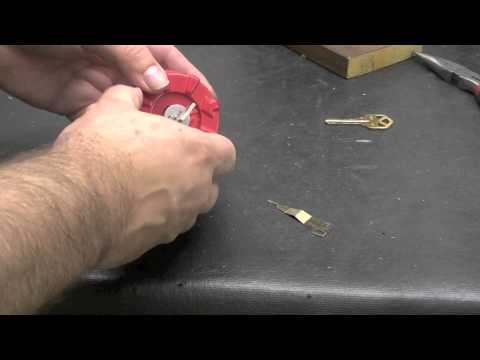 Smart Smart Various How to Reset the Smart Key Lock Without Buttons? In this video, see how to reset a smart key lock: you will need a specific device, as shown in the video. You can find it on the ubuy.co.uk website with the …Read all… Posted on 23 September 2026 by ScegliAuto  Smart Smart Various A Simple Way to Make an Old Car Smart In this video, you will see how to make an old car smart without any electronic knowledge. This component, compatible with both Apple CarPlay and Android Auto, …Read all… Posted on 7 September 2026 by ScegliAuto  Smart Smart Various How to Remove the Stereo from the Smart 453 Removing the radio from this vehicle is very simple, but requires some care as the plastics are sturdy yet more delicate due to their light colour. Use only …Read all… Posted on 11 August 2026 by ScegliAuto 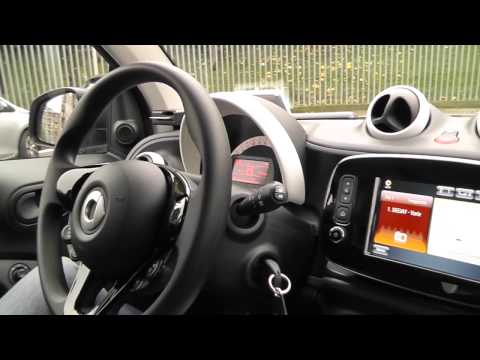 Smart Smart Various How the Smart Fortwo Radio Works In today's video, you will see how the infotainment system of the third generation Smart Fortwo works, which is the current model. It functions the same way in …Read all… Posted on 10 August 2026 by ScegliAuto  Smart Smart Various Things to Know About Smart Keys In this video, the YouTuber shares useful information about smart keys, which are keys without a visible blade for inserting into a lock. These keys do have an …Read all… Posted on 2 November 2026 by ScegliAuto  Smart Smart Various How to Reset the Service Light on the Smart ForTwo? This tutorial shows how to reset the service light on the Smart ForTwo, an operation to be performed only after completing all scheduled maintenance work. …Read all… Posted on 9 October 2026 by ScegliAuto  Smart Smart Various How a Smart Key Works The Smart Key, despite some people still viewing it with a degree of suspicion, has become commonplace and is extremely useful, especially for city cars, which …Read all… Posted on 8 October 2026 by ScegliAuto  Smart Smart Various How to duplicate any car remote using a smartphone app It is our duty to highlight innovations that can help us improve and simplify our lives. These remotes, which may or may not have a transponder, can be …Read all… Posted on 14 September 2026 by ScegliAuto  Smart Smart Various How to Adjust Headlights Using Your Smartphone To measure the headlight brightness, the phone or tablet must have a light sensor. You can tell if it has the 'automatic brightness' option, as it also has a …Read all… Posted on 7 September 2026 by ScegliAuto  Smart Smart Various How to Make Any Old Radio Smart and Bluetooth Enabled Our YouTuber suggests a really simple and economical way to modernise your old car radio. This device is called GOVOCE and is available on eBay for £33.62 …Read all… Posted on 2 September 2026 by ScegliAuto 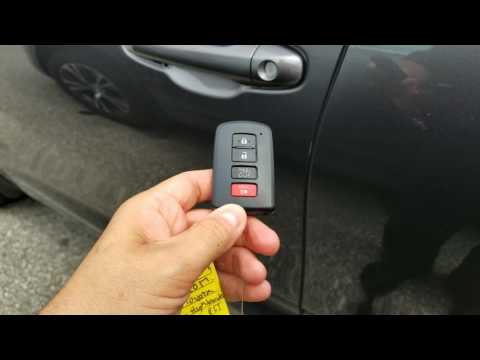 Smart Smart Various How to use the Smart Key of a Toyota? In this video tutorial, we can see how to use the Toyota Smart Key and the functions of the various buttons. On the front, there are 4 buttons; starting from …Read all… Posted on 23 July 2026 by ScegliAuto  Smart Smart Various How to Connect Your Smartphone to the Audi S5 via Bluetooth Connecting your smartphone to the infotainment system of your Audi S5 takes just a few seconds. It is a simple procedure that we will explore in this mini …Read all… Posted on 20 July 2026 by ScegliAuto  Smart Smart Various How to Dismantle the Vileda Turbo Smart? The Vileda Turbo Smart is the new floor cleaning system featuring a pedal-operated spin function located inside the water collection bucket, designed to wring …Read all… Posted on 6 July 2026 by ScegliAuto
Car stereo (5)
Key (4)
Onboard computer (1)
Checks and maintenance (1)
Headlight (1)
Instrument cluster (1)
Warning light – error code (1)
Service warning light (2)
|
How to Set the Time in an Audi A4?
In this tutorial, you will see how to set the time in an Audi A4, a very simple and quick operation to perform after replacing the battery or when the time changes. First, insert the key and turn on the instrument cluster. Then, press the "SETUP" button located on the center console. Next, press the upper left arrow button, navigate to the "Time" option, and use the central knob to adjust the clock. Finally, set any necessary formats and save by returning to the main screen. by ScegliAuto More videos
|
|
For advertising on this site Write to info@scegliauto.com
ScegliAuto is not responsible for any inaccuracy of the data in the lists. To report any inaccuracy or your business (if you own the business in question), please write to info@scegliauto.com
Number of seconds to generate the page: 0.008
(c) ScegliAuto 2026 - info@scegliauto.com - Privacy policy VAT number: IT01247470535 |
