
|
Do it yourself
| |||
| ||||


How to reset the oil service on the Smart ForTwo?
Model: Smart Smart
453
- Years 2014-2022
In this tutorial we can see how to reset the oil service in the Smart ForTwo, an extremely simple and fast operation, to be carried out only once all the scheduled maintenance work has been completed. First of all, let's go inside the cabin, then insert the key and turn on the instrument panel. Next, scroll through the various screens of the display using the directional arrows on the left side of the steering wheel, reach the one related to the service and hold down the "OK" button for the necessary time for the interval to be reset correctly.
Posted on 7 May 2024 by ScegliAuto
Video tutorial
Related tutorials
Smart
(2014-2022 /
453)
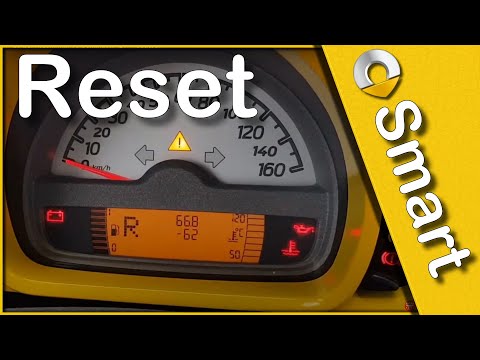
Following these brief and simple instructions, we will see how to reset the maintenance reminder for the engine oil change of the Smart Fortwo. First…
Smart
(2007-2015 /
451)
Let's find out in this short and simple guide how to reset the oil change maintenance service light of the Smart Fortwo, thus resetting the warning l…

Smart
(2014-2022 /
453)
Today's instructions will allow us to reset the service warning for the regular maintenance of the engine oil change for the Smart Fortwo. First, let…
Other guides you may be interested in
|
How to Remove the Original Radio on a Honda CR-V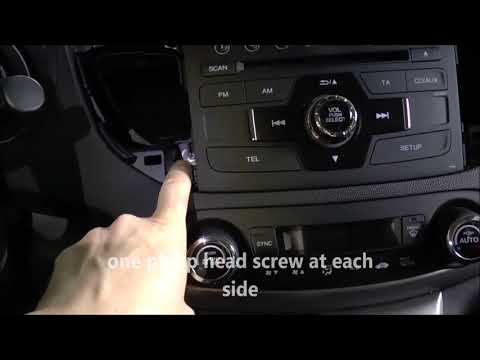
How do you remove the original radio on a Honda CR-V? First, use a plastic lever to remove the side cover of the radio (the air vents), then, with a screwdriver, unscrew the securing screws located on the sides (if present). After unscrewing the side screws (and disconnecting the clips) of the stereo, pull it out from its slot and remove it (disconnect the various power connectors at the back). To install the new stereo and the various removed parts, proceed in reverse order. by ScegliAuto More videos
|

|
For advertising on this site Write to info@scegliauto.com
ScegliAuto is not responsible for any inaccuracy of the data in the lists. To report any inaccuracy or your business (if you own the business in question), please write to info@scegliauto.com
Number of seconds to generate the page: 0.158
(c) ScegliAuto 2026 - info@scegliauto.com - Privacy policy VAT number: IT01247470535 |
