
|
Do it yourself
| |||
| ||||


Subaru Subaru Various - Onboard computerOnboard Computer Subaru Subaru Various ( / ) Subaru Subaru Various How to Reset the Tyre Pressure on a Subaru Vehicle The first thing to know is that if you own a Subaru manufactured from 2007/2008 onwards, the physical reset button for the TPMS is no longer present: it can …Read all… Posted on 17 September 2026 by ScegliAuto  Subaru Subaru Various How to activate and deactivate the HILL HOLD system of the Subaru WRX/STI Activating and deactivating the driving assistant or Hill Hold on Subaru WRX/STI vehicles from 2015 onwards is a really simple and quick operation to perform …Read all… Posted on 28 July 2025 by ScegliAuto 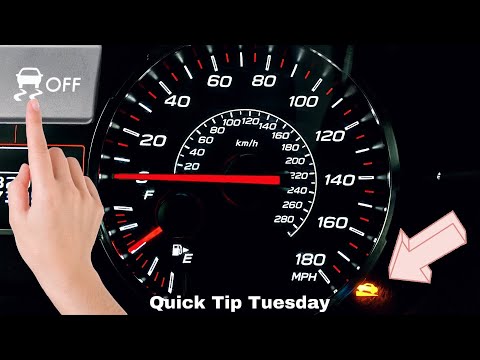 Subaru Subaru Various How to Disable the Hill Holder on Subaru Vehicles To disable the hill assist system in the vehicle, follow the instructions provided in this video and the description below. First, access the cabin and sit in …Read all… Posted on 18 September 2026 by ScegliAuto Car stereo (1) Transmission (1) Key (3) Onboard computer (3) Checks and maintenance (1) Air filter (1) Cabin air filter (3) Clock (1) Shift knob (1) Instrument cluster (1) Warning light – error code (4) Tire pressure warning light (3) Service warning light (1) |
Where is the battery located in the Range Rover Sport?
The Range Rover Sport has two batteries, a main one and an auxiliary one. Both are located inside the trunk. The auxiliary battery is specifically situated on the right side of the trunk and is hidden under a carpet panel that you need to open to access it. The other battery, the main one, is installed beneath the trunk flooring, which you must remove to access the battery. Always disconnect the negative terminal first and then the positive terminal when replacing the battery. by ScegliAuto More videos
|
|
For advertising on this site Write to info@scegliauto.com
ScegliAuto is not responsible for any inaccuracy of the data in the lists. To report any inaccuracy or your business (if you own the business in question), please write to info@scegliauto.com
Number of seconds to generate the page: 0.005
(c) ScegliAuto 2026 - info@scegliauto.com - Privacy policy - About us VAT number: IT01247470535 |
