
|
Do it yourself
| |||
| ||||


Subaru Subaru Various - Video guides Subaru Subaru Various How to Reset the TPMS Light on a Subaru Vehicle The TPMS light comes on when the pressure in one or more tyres is too low: here’s how to turn it off correctly. Before any reset, it is essential to check …Read all… Posted on 29 September 2026 by ScegliAuto  Subaru Subaru Various How to Reset the Tyre Pressure on a Subaru Vehicle The first thing to know is that if you own a Subaru manufactured from 2007/2008 onwards, the physical reset button for the TPMS is no longer present: it can …Read all… Posted on 17 September 2026 by ScegliAuto  Subaru Subaru Various How to Reset the Tyre Light on Subaru Vehicles This is undoubtedly the easiest and most practical method, as explained in the video above, to reset the tyre light on Subaru vehicles. There is no need for …Read all… Posted on 30 March 2026 by ScegliAuto  Subaru Subaru Various How to Reset the TPMS Light on a Subaru To reset the TPMS light, related to tyre pressure on a 2018 Subaru, get into the vehicle and turn on the ignition. Press the menu button located on the lower …Read all… Posted on 7 March 2026 by ScegliAuto  Subaru Subaru Various How to set the clock in the Subaru The onboard computer clock of Subaru cars can be updated automatically or you can choose to manually set the time update. To set the automatic clock update, we …Read all… Posted on 6 October 2025 by ScegliAuto  Subaru Subaru Various How to activate and deactivate the HILL HOLD system of the Subaru WRX/STI Activating and deactivating the driving assistant or Hill Hold on Subaru WRX/STI vehicles from 2015 onwards is a really simple and quick operation to perform …Read all… Posted on 28 July 2025 by ScegliAuto
Subaru Subaru Various How to replace the battery of the Subaru remote control Today we will explain how to replace the battery of the Subaru key fob. The malfunction of the key fob is almost always due to a low battery. To replace the …Read all… Posted on 24 June 2025 by ScegliAuto  Subaru Subaru Various How to replace the battery of Subaru vehicle remote control. Replacing the battery of the remote control for Subaru vehicles is a simple and quick operation to be carried out independently. The battery we will use is the …Read all… Posted on 27 May 2025 by ScegliAuto  Subaru Subaru Various How to reset the oil light on the Subaru WRX Today we will explain how to reset the oil light, related to the oil change on a Subaru WRX vehicle. Before performing this operation, it is necessary to …Read all… Posted on 24 May 2025 by ScegliAuto  Subaru Subaru Various How to replace the gear shift knob of the 2022 Subaru WRX In today's video, we will see how to replace the gear knob of the 2022 Subaru WRX. Removing the knob is a simple and quick operation to perform independently. …Read all… Posted on 14 April 2025 by ScegliAuto  Subaru Subaru Various How to Check Tyre Pressure on a Subaru Vehicle In this video, you can see how to check the tyre pressure on a Subaru vehicle; these instructions apply to: Ascent, Outback, Legacy, Crosstrek, Impreza. If you …Read all… Posted on 17 October 2026 by ScegliAuto 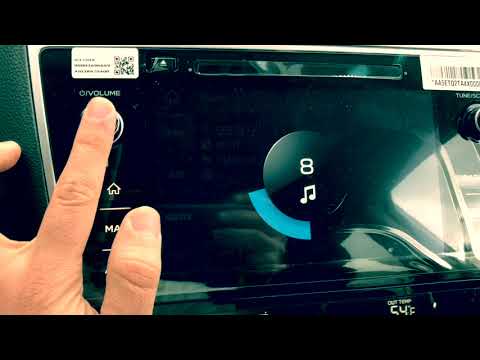 Subaru Subaru Various How to Reset the Radio in Subaru Vehicles To reset the radio in Subaru vehicles, turn on the ignition by inserting the key into the ignition switch. Once the dashboard is powered up, press and hold the …Read all… Posted on 27 September 2026 by ScegliAuto 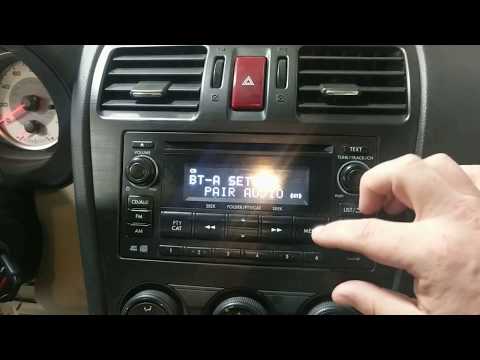 Subaru Subaru Various How to Resolve Bluetooth Pairing Issues on a Subaru Radio In this video, we show how to resolve pairing issues between your phone and the Bluetooth system of your Subaru radio. Access the system and press "menu" to …Read all… Posted on 22 September 2026 by ScegliAuto  Subaru Subaru Various How to Disable Start&Stop in a Subaru? This tutorial shows how to disable Start&Stop in a Subaru, a very simple operation if you find this system too intrusive. First, turn on the instrument panel; …Read all… Posted on 26 August 2026 by ScegliAuto  Subaru Subaru Various How to Reset a Subaru Radio In this video, you will see how to easily reset the radio fitted in a Subaru vehicle. At the start of the video, the radio is on and the volume is at maximum, …Read all… Posted on 14 August 2026 by ScegliAuto  Subaru Subaru Various How to Change the Cabin Air Filter on a Subaru Ascent If you need to replace the cabin air filter on models from this manufacturer, the description below provides useful instructions for the various steps to be …Read all… Posted on 30 October 2026 by ScegliAuto  Subaru Subaru Various How to Replace the Air Filter in a 2016 Subaru Replacing the air filter located inside your 2016 Subaru is undoubtedly a maintenance task that anyone can handle. First, lift the front bonnet of the car and …Read all… Posted on 14 October 2026 by ScegliAuto 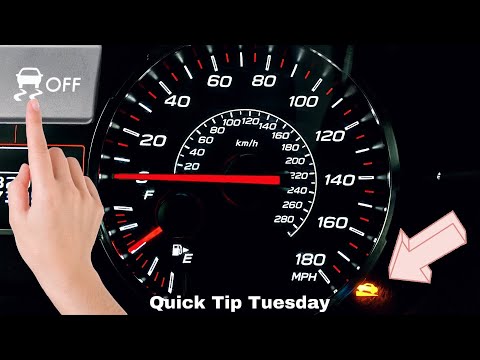 Subaru Subaru Various How to Disable the Hill Holder on Subaru Vehicles To disable the hill assist system in the vehicle, follow the instructions provided in this video and the description below. First, access the cabin and sit in …Read all… Posted on 18 September 2026 by ScegliAuto  Subaru Subaru Various How to replace the remote control battery for Subaru vehicles? In today's video, we will see how to replace the remote control battery for Subaru vehicles. This video refers to cars equipped with a keyless remote. First, …Read all… Posted on 30 August 2026 by ScegliAuto  Subaru Subaru Various How to replace the cabin filter in the Subaru WRX? Replacing the cabin filter in the Subaru WRX is a very simple and cost-effective operation; let’s see how to proceed in this tutorial. Start by sitting in …Read all… Posted on 11 August 2026 by ScegliAuto
Car stereo (1)
Transmission (1)
Key (3)
Onboard computer (3)
Checks and maintenance (1)
Air filter (1)
Cabin air filter (3)
Clock (1)
Shift knob (1)
Instrument cluster (1)
Warning light – error code (4)
Tire pressure warning light (3)
Service warning light (1)
|
How to Set the Time in an Audi A4?
In this tutorial, you will see how to set the time in an Audi A4, a very simple and quick operation to perform after replacing the battery or when the time changes. First, insert the key and turn on the instrument cluster. Then, press the "SETUP" button located on the center console. Next, press the upper left arrow button, navigate to the "Time" option, and use the central knob to adjust the clock. Finally, set any necessary formats and save by returning to the main screen. by ScegliAuto More videos
|
|
For advertising on this site Write to info@scegliauto.com
ScegliAuto is not responsible for any inaccuracy of the data in the lists. To report any inaccuracy or your business (if you own the business in question), please write to info@scegliauto.com
Number of seconds to generate the page: 0.009
(c) ScegliAuto 2026 - info@scegliauto.com - Privacy policy VAT number: IT01247470535 |
