
|
Do it yourself
| |||
| ||||


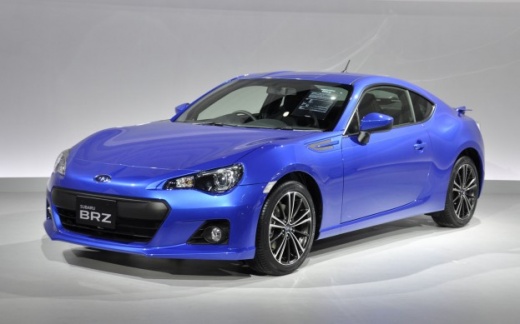
Replacing the Front Indicator Bulb with LED
Model: Subaru Brz
MK 1, ZN6.ZC6
- Years:
2012, 2013, 2014, 2015, 2016, 2017, 2018, 2019, 2020, 2021, 2022, 2023
Video tutorial
To replace the front indicator bulb with an LED type, proceed as follows: the front indicator is integrated into the bumper, and to access the bulb holder, you need to detach the wheel arch liner. Rotate the front wheel inwards, remove the push clips securing the wheel arch liner to the edge of the bumper, pull the wheel arch liner away from its seat, and access the bulb holder. Disconnect the bulb holder and remove the original bulb, insert the LED bulb and ensure it lights up; if not, rotate it 180 degrees (LEDs have a polarity that must be respected). Reattach the bulb holder and the wheel arch liner.
Updated on 16 February 2026 by ScegliAuto
Related tutorials
Subaru Brz
(2012-2023 /
MK 1, ZN6.ZC6)
Generally, replacing the original bulbs with LED types will improve visibility as they have a significantly higher luminous capacity compared to halo…

Subaru Brz
(2012-2023 /
MK 1, ZN6.ZC6)
The video shows the removal of the brake pads and disc, performed in reality to replace the front hub bearing, although the details of that are not s…

Subaru Brz
(2012-2023 /
MK 1, ZN6.ZC6)
If you want to replace the battery inside your Subaru BRZ key yourself but are unsure of the steps to take, just follow the instructions below. First…
Other guides you may be interested in
|
How to Enter the Unlock Code for the Radio in the Nissan Micra?
In this tutorial, you will see how to enter the unlock code for the radio in the Nissan Micra, a very simple operation to perform in case of memory loss after replacing the battery. The code can be found in the documents provided at purchase or through one of the various online recovery services. First, turn on the instrument panel, then repeatedly press the "1" button until you reach the first digit of the code. Follow the same logic to enter the remaining 3 digits using the "2", "3", and "4" buttons, and confirm the entry with the up arrow button. by ScegliAuto More videos
|
|
For advertising on this site Write to info@scegliauto.com
ScegliAuto is not responsible for any inaccuracy of the data in the lists. To report any inaccuracy or your business (if you own the business in question), please write to info@scegliauto.com
Number of seconds to generate the page: 0.028
(c) ScegliAuto 2026 - info@scegliauto.com - Privacy policy VAT number: IT01247470535 |
