
|
Do it yourself
| |||
| ||||


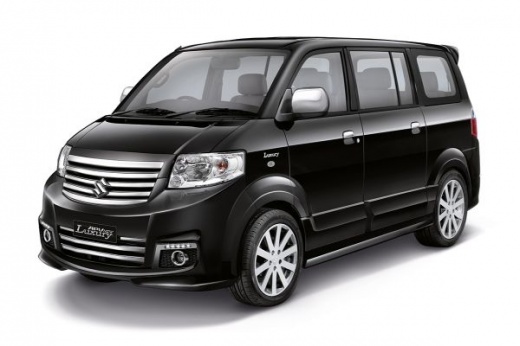
How to Install a Chrome Cover on the Side Mirror of a Suzuki APV
Model: Suzuki Apv
MK 1
- Years:
2004, 2005, 2006, 2007, 2008, 2009, 2010, 2011, 2012, 2013, 2014, 2015
Video tutorial
Replacing the side mirror cover on a Suzuki APV is easy. Start by removing the mirror: take off the pillar cover to expose the wires and screws. Disconnect the connectors and unscrew the screws holding the mirror in place. The mirror cover for the Suzuki APV is available only on Ali Express, sold in pairs for about $32. Unscrew the mirror from its old cover and transfer it to the new one, which already has the wiring for installation. Simply connect the wires and attach the mirror using the double-sided tape already inside. Pass all connections through the base that will connect to the vehicle. Our YouTuber prefers to apply an extra layer of glue for added security. Do the same for the other side, and the job is done!
Updated on 13 June 2026 by ScegliAuto
Related tutorials
Suzuki Apv
(2004-2024 /
MK 1)
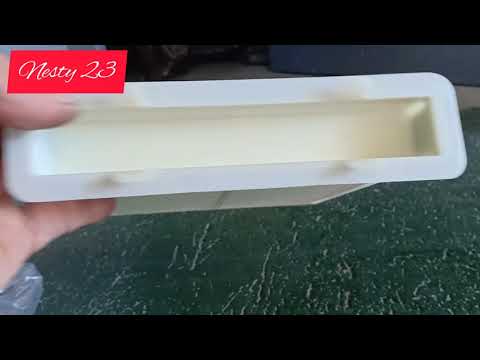
To replace the radio in the Suzuki APV, use a tool like a screwdriver to pry off the plastic cover around the radio and climate control. Once this co…
Suzuki Apv
(2004-2024 /
MK 1)
The Suzuki APV does not come with a cabin air filter installed by default. If you need to install one, follow this tutorial to see how to proceed. Fi…

Suzuki Apv
(2004-2024 /
MK 1)
In today's video, you will learn how to replace the front headlight bulb on a Suzuki APV. First, get an H4 bulb. Next, park your vehicle on a level s…
Other guides you may be interested in |
How to reset the tyre pressure warning light on the Kia Niro EV?
To reset the tyre pressure warning light on the Kia Niro EV, inflate the tyres until they reach the correct pressure value. This value is indicated on the sticker attached to the driver's door pillar. Once the tyres are inflated, turn on the instrument cluster to check that the warning light has completely disappeared from the display. If it is still present, you may need to drive for a few miles to ensure it disappears completely from the screen. by ScegliAuto More videos
|
|
For advertising on this site Write to info@scegliauto.com
ScegliAuto is not responsible for any inaccuracy of the data in the lists. To report any inaccuracy or your business (if you own the business in question), please write to info@scegliauto.com
Number of seconds to generate the page: 0.023
(c) ScegliAuto 2026 - info@scegliauto.com - Privacy policy VAT number: IT01247470535 |
