
|
Do it yourself
| |||
| ||||


How to Replace the Rear Tyre of the Sym Joymax Z 125
Model: Sym Joymax Z
Video tutorial
This guide will provide instructions for removing and replacing the rear wheel and tyre of the Sym Joymax Z 125 scooter. First, place the scooter on the centre stand and begin to unscrew the central bolt of the rear wheel using a socket spanner with an extension; unscrew the screws of the brake caliper to remove it from the disc, as shown in the video. At this point, remove the wheel, then replace the tyre (using levers to take it off the rim); finally, refit the tyre and then the wheel!
Updated on 23 August 2026 by ScegliAuto
Related tutorials
Joymax Z
This guide provides instructions on how to remove and replace the rear wheel and tyre of the Sym Joymax Z 125 scooter, following these simple steps. …
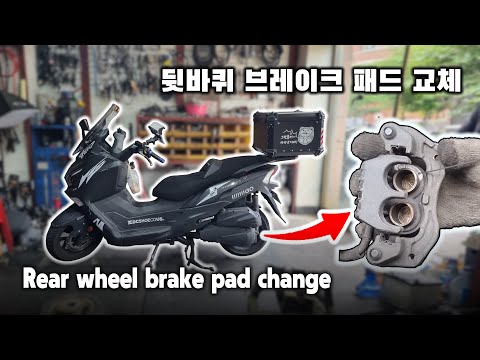
Joymax Z
Today's steps will show you how to remove and replace the rear brake pads on the Sym Joymax Z 125 scooter. First, place the scooter on the centre sta…
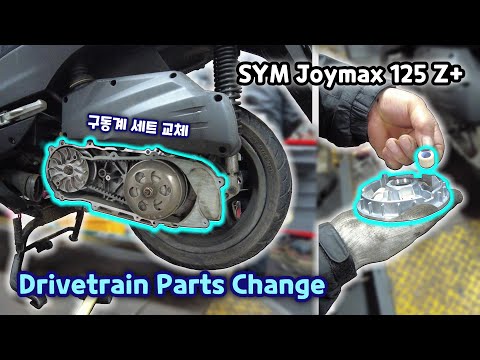
Joymax Z
In this guide, follow the instructions to dismantle and replace the variator of the Sym Joymax 125 Z scooter by following these simple steps. First, …
|
How to set the clock on the Piaggio Beverly 125?
To adjust the clock on the Piaggio Beverly 125, turn on the instrument panel by inserting the ignition key into the corresponding slot. Once the panel is on, press and hold the SET button located in the centre of the display. At this point, the hours will start to flash and can be changed with another prolonged press of the same button; pressing the SET button twice in quick succession will cause the minutes to start flashing, which can be modified in the same way. by ScegliAuto More videos
|
|
For advertising on this site Write to info@scegliauto.com
ScegliAuto is not responsible for any inaccuracy of the data in the lists. To report any inaccuracy or your business (if you own the business in question), please write to info@scegliauto.com
Number of seconds to generate the page: 0.008
(c) ScegliAuto 2026 - info@scegliauto.com - Privacy policy VAT number: IT01247470535 |
