
|
Do it yourself
| |||
| ||||


How to Reset the Oil Service Light on the Kymco Crox 125
Model: Sym Crox 125
Video tutorial
To reset the Oil Service light on the Kymco Crox 125, turn on the instrument panel by turning the key in the ignition. Once the panel is on, press and hold the button located at the bottom right of the speedometer. After a few seconds, you will see the Oil Service light turn off completely, disappearing from the instrument panel. You can verify the reset was successful by turning the instrument panel off and then back on.
Updated on 11 September 2026 by ScegliAuto
Related tutorials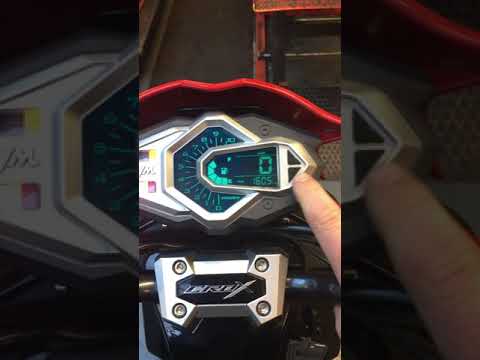
Crox 125
As seen in this brief tutorial, resetting the oil service on a SYM Crox 125 scooter is an extremely simple and quick operation. Before proceeding, en…

Crox 125
Today we will discover the steps that will allow us to carry out the ordinary maintenance of the Sym Crox 125 scooter, replacing the engine oil. Firs…
Crox 125
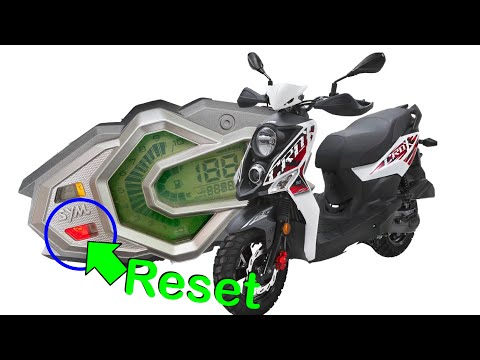
In this new mini guide for all of you who own a Sym Crox, we will discover how to manually reset the service light without the intervention of a spec…
|
How to Change the Headlight Bulb on the Aprilia Scarabeo 50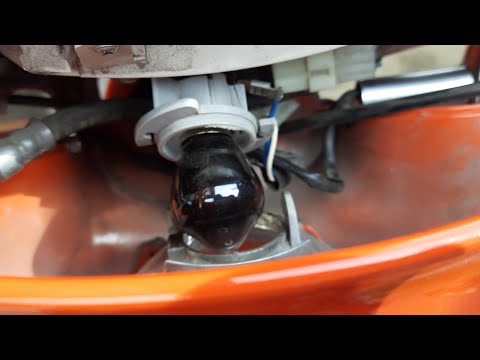
In this short and simple guide, you will learn how to disassemble and replace the headlight bulb on the Aprilia Scarabeo 50 scooter, following the instructions below. First, place the scooter on the centre stand and begin by removing the plastic cover located in front of the instrument panel; to do this, unscrew the securing screws found underneath, as shown in the video. At this point, disconnect the electrical connector of the bulb to remove it, replacing it with a new one (with the same fitting); then reassemble the bulb and the optical unit! by ScegliAuto More videos
|
|
For advertising on this site Write to info@scegliauto.com
ScegliAuto is not responsible for any inaccuracy of the data in the lists. To report any inaccuracy or your business (if you own the business in question), please write to info@scegliauto.com
Number of seconds to generate the page: 0.007
(c) ScegliAuto 2026 - info@scegliauto.com - Privacy policy VAT number: IT01247470535 |
