
|
Do it yourself
| |||
| ||||


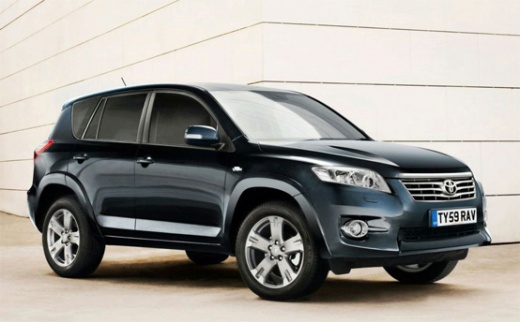
How to disable VSC on a 2007 Toyota RAV4 vehicle
Model: Toyota Rav 4
MK 3, Xa30
- Years:
2006, 2007, 2008, 2009, 2010, 2011, 2012, 2013
Video tutorial
To deactivate the VSC system on a 2007 Toyota RAV 4 vehicle, you need to start the engine without pressing the brake pedal. Pull the handbrake and then press the brake pedal twice. Release the brake pedal and lower the handbrake. Immediately after, hold down the brake pedal for a few seconds and then pull and release the handbrake twice. By turning off and on the engine, the VSC system warning light should appear on the display, indicating that the system has been deactivated. To reactivate the system, follow the steps described above.
Posted on 10 October 2024 by ScegliAuto
Related tutorials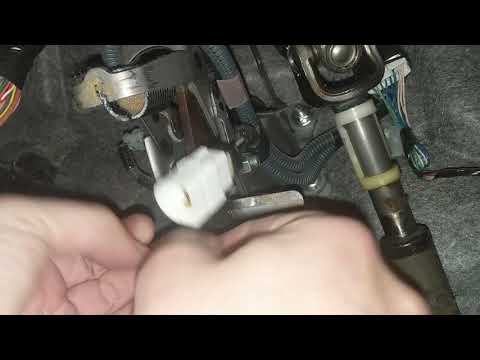
Toyota Rav 4
(2006-2013 /
MK 3, Xa30)
In this guide, we will see how to reset the VSC or ABS warning light on the Toyota Rav4, analysing the possible causes. Usually, the VSC light appear…

Toyota Rav 4
(2019-2026 /
MK 5, Xa50)
Here’s how to activate the traction control (TRC) and stability control (VSC) on the Toyota RAV4: the TRC prevents wheel slip by reducing engine powe…

Toyota Rav 4
(2019-2026 /
MK 5, Xa50)
In this video, we will see how to disable the PCS (pre-collision system) on Toyota vehicles that have this option. We believe that all safety devices…
Other guides you may be interested in
|
How to Set the Time on a Toyota Yaris Cross
Setting the time on a Toyota Yaris Cross is a very simple operation that can be done independently. The first step is to turn on the instrument panel. The second step is to access the settings menu using the joystick on the steering wheel. Once in the menu, select the "Clock" option. The third step is to press and hold this option and set the hour and minutes you desire using the arrow buttons. Finally, return to the main menu and turn off the instrument panel. Turn the panel back on to check that the new time has been set successfully. by ScegliAuto More videos
|
|
For advertising on this site Write to info@scegliauto.com
ScegliAuto is not responsible for any inaccuracy of the data in the lists. To report any inaccuracy or your business (if you own the business in question), please write to info@scegliauto.com
Number of seconds to generate the page: 0.068
(c) ScegliAuto 2026 - info@scegliauto.com - Privacy policy VAT number: IT01247470535 |
