
|
Do it yourself
| |||
| ||||


Replacement of the rearview mirror of a Toyota RAV4
Model: Toyota Rav 4
Xa50, MK 5
- Years 2019-2026
In this very short video tutorial today, you will see how to remove and install the interior rearview mirror of a Toyota RAV4, the latest generation model produced from 2019 onwards. The operation is very simple to perform, but if you are not experienced it is recommended to have the replacement done by a specialist, but let's see how to proceed immediately. First, we detach the plastic base by pushing it downwards, then we remove the inner plastic as shown in the video. Once this is done, using a torx tt-20 key, we unscrew the screw at the base of the mirror and then remove it, finally we mount a new one following the reverse procedure.
Posted on 23 October 2024 by ScegliAuto
Video tutorial
Related tutorials
Toyota Rav 4
(2013-2018 /
MK 4, Xa40)
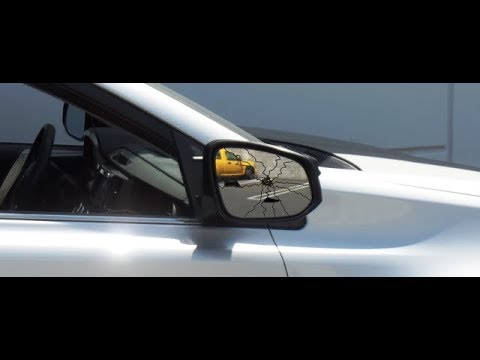
Today we will see the instructions for disassembling and replacing the external rearview mirror of the Toyota RAV4. First, we open the front door and…
Toyota Rav 4
(2006-2013 /
MK 3, Xa30)
This guide shows how to replace the side mirror on the Toyota RAV4 Mk3. After removing the plastic cover protecting the mirror bolt and detaching the…

Toyota Rav 4
(2019-2026 /
Xa50, MK 5)
In this tutorial, you will see how to remove the internal rear view mirror in the Toyota RAV4, a very simple and quick operation. First, go inside th…
Other guides you may be interested in
|
Where is the Spare Wheel in the Peugeot 5008?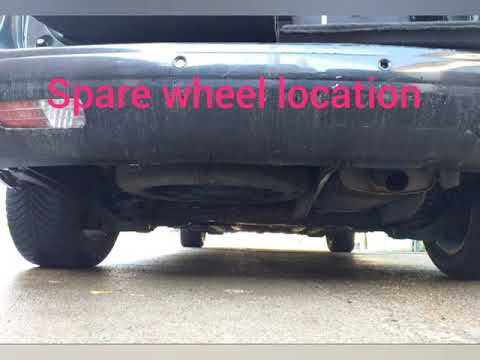
This video shows where the spare wheel is located in the Peugeot 5008 and how to access it, useful in case of a puncture. As shown, the wheel is not in the usual boot compartment but underneath it, outside the vehicle. To free the wheel, first gather the tools provided, then open the boot, locate the small indicated hatch, and open it. Next, loosen the bolt just released using the large socket wrench enough to lower the wheel to the ground. by ScegliAuto More videos
|
|
For advertising on this site Write to info@scegliauto.com
ScegliAuto is not responsible for any inaccuracy of the data in the lists. To report any inaccuracy or your business (if you own the business in question), please write to info@scegliauto.com
Number of seconds to generate the page: 0.210
(c) ScegliAuto 2026 - info@scegliauto.com - Privacy policy VAT number: IT01247470535 |
