
|
Do it yourself
| |||
| ||||


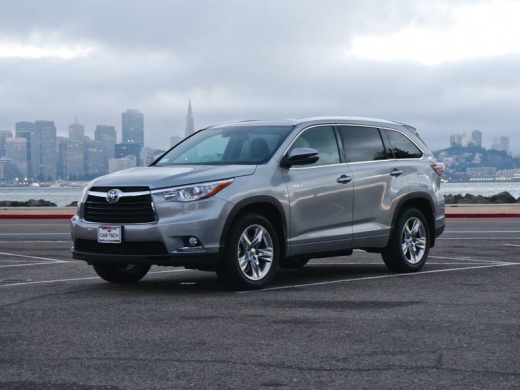
How do you reset the tire pressure light on the Toyota Highlander?
Model: Toyota Highlander
Xu50
- Years:
2014, 2015, 2016, 2017, 2018, 2019
Video tutorial
To reset the tire pressure warning light on the Toyota Highlander, you will need to inflate the tires until they reach the recommended pressure value: this value will be indicated on the sticker attached to the driver's side door jamb. Once the tires are properly inflated, you can turn on the instrument panel by inserting the ignition key: you will now need to press and hold the SET button located at the bottom of the steering column to make the warning light disappear from the car's instrument panel.
Posted on 21 June 2025 by ScegliAuto
Related tutorials
Toyota Highlander
(2020-2026 /
Xu70)
Resetting the tyre pressure warning light on a Toyota Highlander involves inflating the tyres until they reach the recommended pressure value: this v…

Toyota Highlander
(2014-2019 /
Xu50)
To reset the tire pressure warning light of the Toyota Highlander, you need to open the driver's door to read the recommended pressure values, which …

Toyota Highlander
(2014-2019 /
Xu50)
To reset the tyre pressure warning light on a Toyota Highlander, first inflate the tyres until they reach the optimal pressure values, which are indi…
Other guides you may be interested in
|
How to Activate and Deactivate Cruise Control on the Opel Astra
Today, we will go through the steps to activate and deactivate the cruise control system on the Opel Astra, as well as on the Opel Zafira and Insignia. First, get inside the vehicle and start the engine; to activate the cruise control, you need to reach a certain minimum speed, using the controls found on the right side of the steering wheel to activate the cruise control system. Then press the right button to activate it and select the speed using the selector; simply press the brake pedal or the cruise control activation/deactivation button to disable it. by ScegliAuto More videos
|
|
For advertising on this site Write to info@scegliauto.com
ScegliAuto is not responsible for any inaccuracy of the data in the lists. To report any inaccuracy or your business (if you own the business in question), please write to info@scegliauto.com
Number of seconds to generate the page: 0.157
(c) ScegliAuto 2026 - info@scegliauto.com - Privacy policy VAT number: IT01247470535 |
