
|
Do it yourself
| |||
| ||||


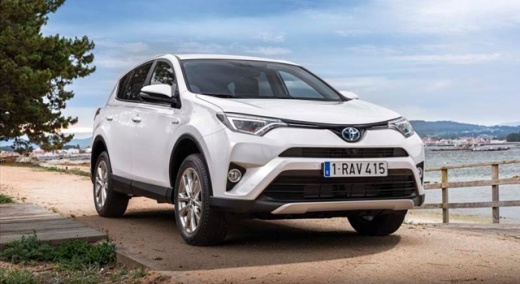
How to Disable the Lane Departure Warning on a Toyota RAV4
Model: Toyota Rav 4
- Years:
2013, 2014, 2015, 2016, 2017, 2018
Video tutorial
Let's see how to disable the lane departure warning (LDA) on a 2017 Toyota RAV4: look for the button with the icon of a car leaving the lane (two dashed lines with a car crossing them). In the video, the button is located under the steering wheel, near the glove compartment, where it may be accidentally pressed by the knee. Press it once: this will immediately turn off the audible and visual warning. The orange/white icon representing the ADAS will disappear from the display. Now the system is disabled. On some Toyotas, this button is located on the steering wheel. It is useful to disable it on narrow and winding mountain roads, where it can become very annoying.
Posted on 4 November 2026 by ScegliAuto
Related tutorials
Toyota Rav 4
(2019-2026 /
MK 5, Xa50)
In this brief guide, you will find instructions to disable the speed alert on the Toyota RAV 4. First, get in the vehicle and turn on the instrument …

Toyota Rav 4
(2013-2018 /
Xa40, MK 4)
Driving without worrying about exceeding speed limits, especially on long journeys, can be feasible, provided your car is equipped with cruise contro…

Toyota Rav 4
(2013-2018 /
Xa40, MK 4)
Below we will see the instructions that will allow us to activate and deactivate the traction control of the Toyota RAV 4, in simple steps. First of …
Other guides you may be interested in
|
How to Activate the Disabled TRC on the Toyota Yaris?
As the video clearly shows, disabling or activating the traction control (TRC or ESP) on the Toyota Yaris is very simple. By default, the traction system activates every time the vehicle is started. To disable it, simply press the button depicting a skidding car located in the centre of the vehicle where the controls are, such as the hazard lights and the radio, but near the handbrake. Once disabled, the TRC off light will illuminate on the dashboard. To reactivate it, just press the same button again. by ScegliAuto More videos
|
|
For advertising on this site Write to info@scegliauto.com
ScegliAuto is not responsible for any inaccuracy of the data in the lists. To report any inaccuracy or your business (if you own the business in question), please write to info@scegliauto.com
Number of seconds to generate the page: 0.026
(c) ScegliAuto 2026 - info@scegliauto.com - Privacy policy VAT number: IT01247470535 |
