
|
Do it yourself
| |||
| ||||


How to Replace the Key Battery in a Toyota Yaris
Model: Toyota Yaris
Xp130
- Years 2011-2019
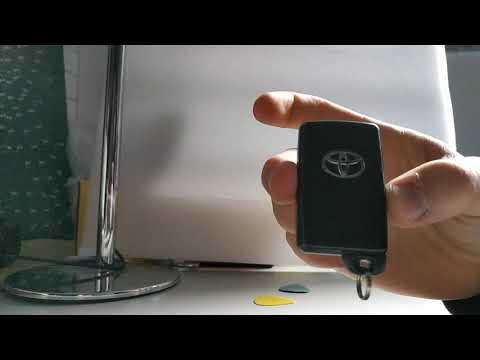
First, remove the metal ring holding the shell, then pry apart the two halves of the key cover. The module containing the battery and circuit will come out of the shell. There is a slot in one corner that you can use to open the shell. Inside the circuit is the button battery, which is a CR 1620. Now install the new battery, ensuring it is placed correctly, with the textured side in contact with the metal connector. Reassemble the transparent shell by placing the circuit with the battery back into the shell and press it closed. Ensure the buttons are correctly positioned in their slots; otherwise, they will not work! Then, place the transparent shell back inside the outer shell and press it closed. You can reinsert the spring. Now perform a functionality test. The job is complete.
Updated on 25 May 2026 by ScegliAuto
Video tutorial
Related tutorials
Toyota Yaris
(2005-2011 /
Xp90)
Start by inserting the tip of a flathead screwdriver into the slot on the side of your Toyota Yaris key and lever it open. Then, detach and remove th…

Toyota Yaris
(2005-2011 /
Xp90)
To correctly replace the battery in your Toyota Yaris key, all you need is a small flathead screwdriver and, of course, a new battery (in this case C…
Toyota Yaris
(2020-2026 /
MK 4)
Replacing the battery of a Toyota Yaris key fob is not complicated. First, extract the metal key from inside the fob by pressing the button on the si…
Other guides you may be interested in
|
Frequently Asked QuestionsHow to set the clock on the Opel Zafira
Setting the clock to the current Italian time on an Opel Zafira model B vehicle is a very simple operation, which can also be done independently thanks to our short instructional video. The first thing to do is to turn on the instrument panel and then press the SETTING button, located on the central dashboard. Once inside the menu, use the buttons to navigate to the clock setting. Change the hours and minutes and restart the instrument panel. If the clock is not updated, a diagnosis may be necessary at the radio or vehicle control unit. by ScegliAuto More videos
|

|
For advertising on this site Write to info@scegliauto.com
ScegliAuto is not responsible for any inaccuracy of the data in the lists. To report any inaccuracy or your business (if you own the business in question), please write to info@scegliauto.com
Number of seconds to generate the page: 0.160
(c) ScegliAuto 2026 - info@scegliauto.com - Privacy policy VAT number: IT01247470535 |
