
|
Do it yourself
| |||
| ||||


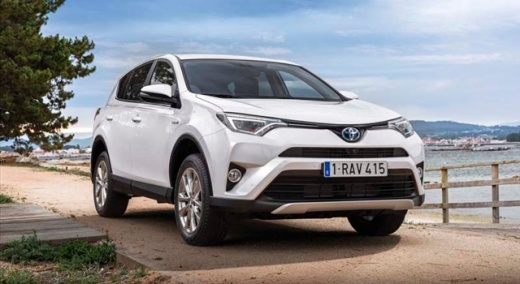
How to Reset the Service Light on the Toyota Rav4
Model: Toyota Rav 4
MK 4, Xa40
- Years:
2013, 2014, 2015, 2016, 2017, 2018
Video tutorial
To reset the service light on the Toyota Rav4, start by turning on the engine. With the right arrow on the left side of the steering wheel, navigate to the screen where the gear icon is located; now press the down arrow button until you see "vehicle settings" and press the "OK" button; now press the down arrow button until you see the option "TPWS" and press the "OK" button; now press the up arrow button to highlight "yes", press the "OK" button and the service has been reset; finally, you can return to the main menu using the back button.
Updated on 26 May 2026 by ScegliAuto
Related tutorials
Toyota Rav 4
(2013-2018 /
MK 4, Xa40)
Following these brief and simple instructions, we will see how to reset the service maintenance light for the regular oil change on the Toyota RAV 4.…

Toyota Rav 4
(2013-2018 /
MK 4, Xa40)
The steps outlined in this guide will show us how to reset the service light for the regular maintenance of the engine oil change on the Toyota RAV 4…

Toyota Rav 4
(2019-2026 /
MK 5, Xa50)
From the instrument panel of the Toyota RAV 4, you can completely turn off the Service light by activating the ignition and navigating through the me…
Other guides you may be interested in
|
How to Remove the Headrest from an Opel Astra
Today's steps will show you how to remove the front headrest from an Opel Astra; this procedure also applies to all other headrests in the seats. So, get in the vehicle and start by rotating the plastic clips found at the base of the headrest; then remove the rear padding of the front seat and disconnect the headrest cable, as shown in the video. At this point, pull the headrest upwards to remove it, replacing it with a new one if necessary; apply the reverse procedure for reassembly! by ScegliAuto More videos
|
|
For advertising on this site Write to info@scegliauto.com
ScegliAuto is not responsible for any inaccuracy of the data in the lists. To report any inaccuracy or your business (if you own the business in question), please write to info@scegliauto.com
Number of seconds to generate the page: 0.072
(c) ScegliAuto 2026 - info@scegliauto.com - Privacy policy VAT number: IT01247470535 |
