
|
Do it yourself
| |||
| ||||


How to Replace the Cabin Air Filter on the Toyota Fortuner
Model: Toyota Fortuner
An160
- Years 2015-2024
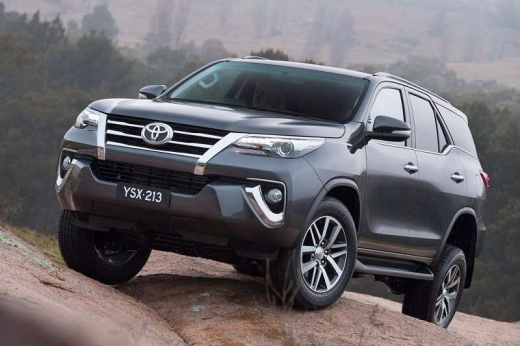
If you intend to replace the pollen filter on this vehicle model, refer to the images in the video and read the instructions below. After sitting in the passenger seat, open the glove compartment and unclip the side support pins to fully remove it. Under the glove compartment, you will find the filter housing, which is protected by a plastic cover that you will remove. Under it, you will find the filter that you can pull out and replace with the new one, then proceed to close the compartment with the cover and reposition and reattach the glove compartment.
Updated on 15 July 2026 by ScegliAuto
Video tutorial
Related tutorials
Toyota Fortuner
(2005-2015 /
An50, An60)
In this video, you can see the location of the fuse boxes and their respective diagrams in the Toyota Fortuner, useful if you need to check the statu…

Toyota Fortuner
(2015-2024 /
An160)
In this new guide, we will explain how you can set the correct time on your second-generation Toyota Fortuner. First of all, get inside the car and t…

Toyota Fortuner
(2015-2024 /
An160)
In the following guide aimed at all of you who own a second-generation Toyota Fortuner, we will describe all the steps you need to take if you intend…
Other guides you may be interested in
|
How to reset the tire pressure sensor of the Hyundai Tucson
Below we will discover the instructions that will allow us to reset the tire pressure warning light (TPMS) of the Hyundai Tucson. First of all, we get into the car and turn on the instrument panel; then we go to the vehicle settings until we reach the tire pressure monitor, identifying the tire with the incorrect pressure. At this point, we proceed to restore all tire pressures, following the pattern indicated on the label; in this way the TPMS system will be reset and the warning light will be reset by the instrument panel! by ScegliAuto More videos
|
|
For advertising on this site Write to info@scegliauto.com
ScegliAuto is not responsible for any inaccuracy of the data in the lists. To report any inaccuracy or your business (if you own the business in question), please write to info@scegliauto.com
Number of seconds to generate the page: 0.262
(c) ScegliAuto 2026 - info@scegliauto.com - Privacy policy VAT number: IT01247470535 |
