
|
Do it yourself
| |||
| ||||


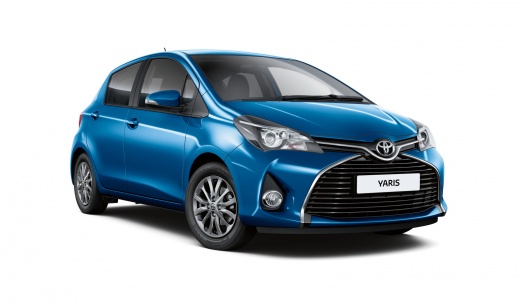
Resetting the Tyre Pressure Warning Light on the Toyota Yaris
Model: Toyota Yaris
Xp130
- Years:
2011, 2012, 2013, 2014, 2015, 2016, 2017, 2018, 2019
Video tutorial
This short guide shows the procedure to reset the tyre pressure warning light (TPMS) on the Toyota Yaris; before performing the operation, ensure all four tyres are at the correct operating pressure. Then, get inside the vehicle and start by opening the cover located at the bottom on the driver's side; underneath, you will find the reset button for the tyre pressure warning light, which you need to press and hold for a few seconds until the TPMS warning light resets on the instrument panel; finally, switch off and restart the engine!
Updated on 21 August 2026 by ScegliAuto
Related tutorials
Toyota Yaris
(2011-2019 /
Xp130)
These short and simple steps will show us how to reset the tire pressure warning light (TPMS) on the Toyota Yaris; before resetting the light, it is …

Toyota Yaris
(2011-2019 /
Xp130)
Today, let's go through the steps to reset the tyre pressure monitoring system (TPMS) warning light on a Toyota Yaris. Before performing the reset, e…

Toyota Yaris
(2011-2019 /
Xp130)
Today's instructions will show us how to reset the tire pressure warning on the Toyota Yaris; before resetting the TPMS sensors, it is necessary for …
Other guides you may be interested in
|
How to Replace the Cabin Filter on the Ford Puma
To replace the cabin filter on the Ford Puma, detach the small cover located on the left side of the front passenger footwell: once this is removed, loosen the underlying screw so that you can detach the corresponding panel. At this point, locate the filter box underneath, which can be opened to remove the filter inside. The new filter can then be inserted, covering everything with the box and refitting the corresponding panel into its housing. by ScegliAuto More videos
|
|
For advertising on this site Write to info@scegliauto.com
ScegliAuto is not responsible for any inaccuracy of the data in the lists. To report any inaccuracy or your business (if you own the business in question), please write to info@scegliauto.com
Number of seconds to generate the page: 0.069
(c) ScegliAuto 2026 - info@scegliauto.com - Privacy policy VAT number: IT01247470535 |
