
|
Do it yourself
| |||
| ||||


Volkswagen Crafter - Warning light – error codeWarning Light – Error Code Volkswagen Crafter (2017-2026 / sz, sy, mk 2) Volkswagen Crafter (2017-2026 / SZ, SY, MK 2)
How to Reset the Maintenance Light on a 2017 Volkswagen Crafter In this video, you will see how to reset the maintenance light on a 2017 Volkswagen Crafter: with the instrument cluster off, press and hold the reset button …Read all… Posted on 23 September 2026 by ScegliAuto  Volkswagen Crafter (2017-2026 / SZ, SY, MK 2)
How to Reset the Service Light on the Volkswagen Crafter This article shows how to reset the service light on the Volkswagen Crafter. First, ensure the gearbox is in neutral if it’s manual or in P if it’s …Read all… Posted on 30 August 2026 by ScegliAuto  Volkswagen Crafter (2006-2017 / 2E, 2F, MK 1)
How to reset the oil service on the Volkswagen Crafter? Turn on the ignition and wait for the total mileage to appear. On the left side of the dashboard, find the two buttons marked O and M. Press and hold the O …Read all… Posted on 12 September 2026 by ScegliAuto  Volkswagen Crafter (2006-2017 / 2E, 2F, MK 1)
How to Reset the Service Light on a Volkswagen Crafter In this video tutorial, you can see how to reset the service light on a Volkswagen Crafter. The first thing you need to do before resetting the service light …Read all… Posted on 29 August 2026 by ScegliAuto 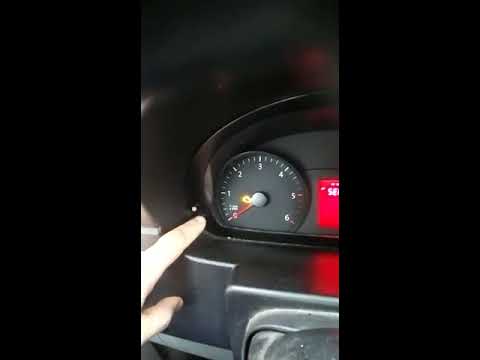 Volkswagen Crafter (2006-2017 / 2E, 2F, MK 1)
How to Reset the Maintenance Light on a Volkswagen Crafter In this video tutorial, you will see how to reset the engine oil light on a Volkswagen Crafter. First, perform maintenance on the vehicle, such as changing the …Read all… Posted on 25 July 2026 by ScegliAuto Warning Light – Error Code Volkswagen Crafter (2006-2017 / 2 e, 2 f, mk 1)
Volkswagen Crafter (2017-2026 / SZ, SY, MK 2)How to Reset the Maintenance Light on a 2017 Volkswagen Crafter In this video, you will see how to reset the maintenance light on a 2017 Volkswagen Crafter: with the instrument cluster off, press and hold the reset button …Read all… Posted on 23 September 2026 by ScegliAuto
Volkswagen Crafter (2017-2026 / SZ, SY, MK 2)How to Reset the Service Light on the Volkswagen Crafter This article shows how to reset the service light on the Volkswagen Crafter. First, ensure the gearbox is in neutral if it’s manual or in P if it’s …Read all… Posted on 30 August 2026 by ScegliAuto
Volkswagen Crafter (2006-2017 / 2E, 2F, MK 1)How to reset the oil service on the Volkswagen Crafter? Turn on the ignition and wait for the total mileage to appear. On the left side of the dashboard, find the two buttons marked O and M. Press and hold the O …Read all… Posted on 12 September 2026 by ScegliAuto
Volkswagen Crafter (2006-2017 / 2E, 2F, MK 1)How to Reset the Service Light on a Volkswagen Crafter In this video tutorial, you can see how to reset the service light on a Volkswagen Crafter. The first thing you need to do before resetting the service light …Read all… Posted on 29 August 2026 by ScegliAuto
Volkswagen Crafter (2006-2017 / 2E, 2F, MK 1)How to Reset the Maintenance Light on a Volkswagen Crafter In this video tutorial, you will see how to reset the engine oil light on a Volkswagen Crafter. First, perform maintenance on the vehicle, such as changing the …Read all… Posted on 25 July 2026 by ScegliAuto Battery (6) Key (1) Timing belt (1) Checks and maintenance (6) Dashboard (1) Cabin air filter (2) Diesel fuel filter (1) Oil filter (1) Engine oil (1) Clock (9) Car door (1) Wheel (1) Fuse box (29) AdBlue warning light (4) Warning light – error code (5) Service warning light (60) Steering wheel (2) |
How to set the clock on the Opel Zafira
Setting the clock to the current Italian time on an Opel Zafira model B vehicle is a very simple operation, which can also be done independently thanks to our short instructional video. The first thing to do is to turn on the instrument panel and then press the SETTING button, located on the central dashboard. Once inside the menu, use the buttons to navigate to the clock setting. Change the hours and minutes and restart the instrument panel. If the clock is not updated, a diagnosis may be necessary at the radio or vehicle control unit. by ScegliAuto More videos
|
|
For advertising on this site Write to info@scegliauto.com
ScegliAuto is not responsible for any inaccuracy of the data in the lists. To report any inaccuracy or your business (if you own the business in question), please write to info@scegliauto.com
Number of seconds to generate the page: 0.009
(c) ScegliAuto 2026 - info@scegliauto.com - Privacy policy VAT number: IT01247470535 |
