
|
Do it yourself
| |||
| ||||


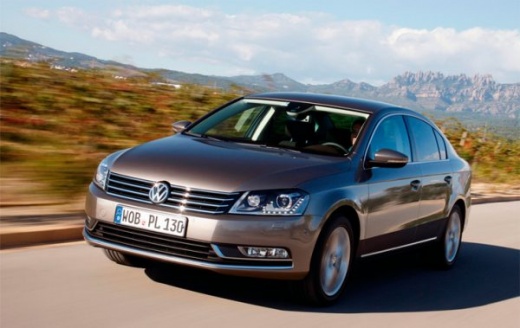
How to set the time on the Volkswagen Passat
Model: Volkswagen Passat
B7
- Years:
2010, 2011, 2012, 2013, 2014
Video tutorial
Below we will see the instructions that will allow us to change the time on the dashboard display of the Volkswagen Passat, in simple steps. First of all, we get on board the car and start the instrument panel; then we press the left button of the panel, then press the right button to change the hour and then the minutes (in the same way), as shown in the video. At this point, we exit the settings menu to save the changes made, making sure that the time has been updated correctly on the dashboard display.
Posted on 19 November 2024 by ScegliAuto
Related tutorials
Volkswagen Passat
(1996-2005 /
3BG, B5)
Below are the instructions to set the time on the display of the Volkswagen Passat instrument panel in simple steps. First, get into the vehicle and …

Volkswagen Passat
(2010-2014 /
B7)
Below we will discover the instructions that will allow us to adjust the time on the display and dashboard clock of the Volkswagen Passat. First, we …
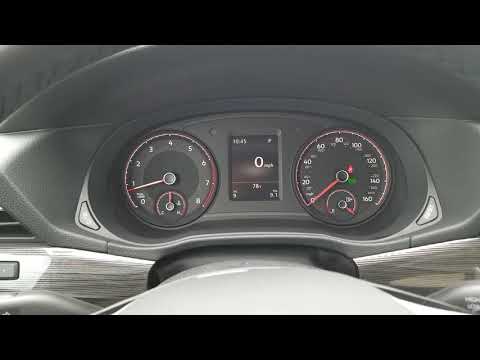
Volkswagen Passat
(2014-2023 /
MK 8, 3G, B8)
In this tutorial, you will learn how to set the time in the Volkswagen Passat, a very simple operation to perform after a flat battery or after the c…
Other guides you may be interested in
|
How to Set the Time in an Audi A4?
In this tutorial, you will see how to set the time in an Audi A4, a very simple and quick operation to perform after replacing the battery or when the time changes. First, insert the key and turn on the instrument cluster. Then, press the "SETUP" button located on the center console. Next, press the upper left arrow button, navigate to the "Time" option, and use the central knob to adjust the clock. Finally, set any necessary formats and save by returning to the main screen. by ScegliAuto More videos
|
|
For advertising on this site Write to info@scegliauto.com
ScegliAuto is not responsible for any inaccuracy of the data in the lists. To report any inaccuracy or your business (if you own the business in question), please write to info@scegliauto.com
Number of seconds to generate the page: 0.015
(c) ScegliAuto 2026 - info@scegliauto.com - Privacy policy VAT number: IT01247470535 |
