
|
Do it yourself
| |||
| ||||


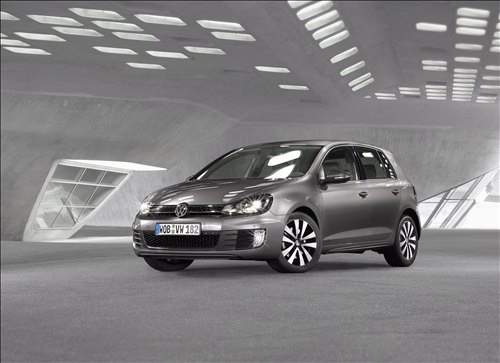
How to reset the service light on a Volkswagen Golf 6?
Model: Volkswagen Golf
Golf 6, MK 6, 5K1, Golf VI
- Years:
2008, 2009, 2010, 2011, 2012
Video tutorial
If you want to manually reset the service light on your Volkswagen Golf Mk6, simply follow the steps outlined in this guide. First, take your seat in the driver's position inside the cabin, then start the instrument cluster normally and press the menu button located on the right side of the steering wheel. At this point, scroll down and select the "Service interval" option. Next, select the "Reset" option and confirm the reset of the light by pressing "OK". Finally, exit the menu and you are done.
Updated on 8 November 2026 by ScegliAuto
Related tutorials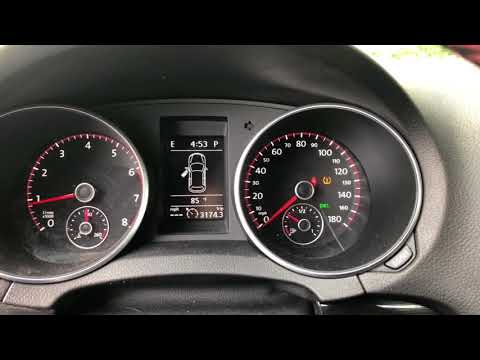
Volkswagen Golf
(2012-2019 /
MK 7, Golf 7, Golf VII)
If the tyre pressure warning light continues to illuminate despite having inflated the tyres correctly, you will need to manually reset the reading d…

Volkswagen Golf
(2008-2012 /
Golf 6, MK 6, 5K1, Golf VI)
After adjusting the pressure of all four tyres and checking them, you can reset the related light, known as the TPMS light. On Volkswagen Golf models…

Volkswagen Golf
(2019-2026 /
MK 8, Golf 8, Golf Viii)
Today we will explain how to reset the tire pressure warning light, called TPMS, on a Volkswagen Golf model 8. To reset the warning light, we need to…
Other guides you may be interested in
|
Where are the fuses located in the Renault Megane 2?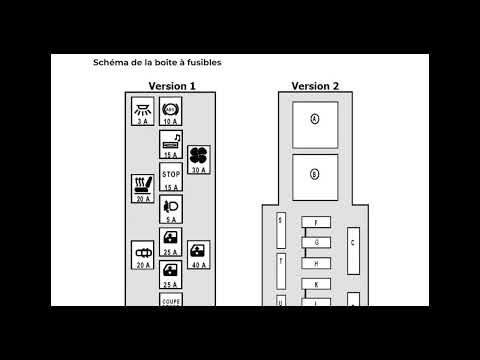
The fuses in the Renault Megane 2 are divided within the specific fuse boxes installed in the vehicle: this model has two fuse boxes. The first is located inside the dashboard, at the bottom left of the steering column: this box contains the fuses for the window lifters, heated seats, courtesy lights, etc. The second fuse box is positioned on the right side of the engine bay and contains the fuses for the windscreen wipers, horn, etc. by ScegliAuto More videos
|
|
For advertising on this site Write to info@scegliauto.com
ScegliAuto is not responsible for any inaccuracy of the data in the lists. To report any inaccuracy or your business (if you own the business in question), please write to info@scegliauto.com
Number of seconds to generate the page: 0.453
(c) ScegliAuto 2026 - info@scegliauto.com - Privacy policy VAT number: IT01247470535 |
