
|
Do it yourself
| |||
| ||||


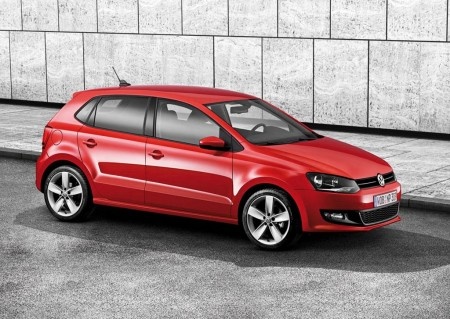
How to replace the headlight switch on a Volkswagen Polo 6R
Model: Volkswagen Polo
Polo 5, Polo V, MK 5, MK V, 6R
- Years 2009-2017
In this video we see how to replace the headlight switch on a Volkswagen Polo 6R: it is a very common modification, because this component is often replaced with much nicer ones. To remove it no tools are needed, but just hold the switch in the "off" position, rotate and pull at the same time. We will then have to disconnect the connector, which in cars with automatic headlights turns out to be a bit smaller. To remove the headlight leveling switch, on the other hand, we must remove the dashboard thickness cover, move the connector we had previously disconnected and then reach the tabs that hold the adjustment unit, also connected to an electrical connector.
Posted on 19 June 2025 by ScegliAuto
Video tutorial
Related tutorials
Volkswagen Polo
(2009-2017 /
Polo 5, Polo V, MK 5, MK V, 6R)
In this video we can see how to change the headlight switch of a Volkswagen Polo 6R (or Golf 4) from manual to automatic. It is a simple procedure. I…

Volkswagen Polo
(2001-2009 /
MK IV, Polo IV, Polo 4, MK 4, 9N)
Today's main information will show us how to disassemble and replace the trunk latch of the Volkswagen Polo. First, we open the rear hatch of the tru…

Volkswagen Polo
(2009-2017 /
Polo 5, Polo V, MK 5, MK V, 6R)
Today's main instructions will show us how to disassemble and replace the window mechanism of the Volkswagen Polo. First, we open the front door of t…
Other guides you may be interested in
|
Frequently Asked QuestionsHow to Set the Clock on the Opel Zafira
Setting the clock to the current Italian time on an Opel Zafira model B is a very simple operation, also made easier by our short instructional video. The first step is to turn on the instrument panel and then press the SETTING button located on the central dashboard. Once inside the menu, use the buttons to navigate to the clock setting. Adjust the hours and minutes and restart the instrument panel. If the clock does not update, it may be necessary to diagnose the radio or the vehicle's control unit. by ScegliAuto More videos
|
|
For advertising on this site Write to info@scegliauto.com
ScegliAuto is not responsible for any inaccuracy of the data in the lists. To report any inaccuracy or your business (if you own the business in question), please write to info@scegliauto.com
Number of seconds to generate the page: 0.069
(c) ScegliAuto 2026 - info@scegliauto.com - Privacy policy VAT number: IT01247470535 |
