
|
Do it yourself
| |||
| ||||


How to replace the battery of the VW Taigo remote control
Model: Volkswagen Taigo
MK 1
- Years 2020-2026
The Volkswagen Taigo and the Volkswagen T Roc have the same remote control for opening, closing, and starting the car. To replace the battery in case of malfunction, we need to lift the opening key and insert a screwdriver into the side hole. With a slight pressure, the remote control will open and the battery can be removed. Insert the new battery and close the remote control cover. Approach the vehicle to test its operation, if it still doesn't work, the issue may be with the opening and closing control unit rather than the key.
Posted on 30 June 2025 by ScegliAuto
Video tutorial
Related tutorials
Volkswagen Taigo
(2020-2026 /
MK 1)
In this new guide aimed at those of you who own a Volkswagen Taigo, you will find the description of all the various steps you need to follow to safe…
Volkswagen Taigo
(2020-2026 /
MK 1)
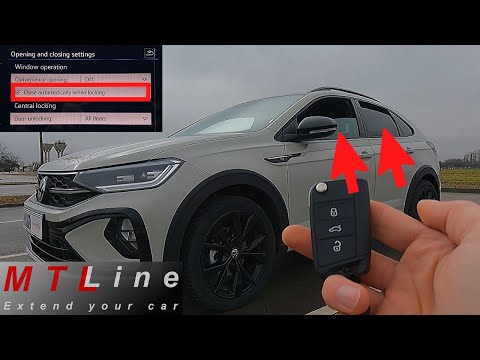
To close the windows of a Volkswagen Taigo with the remote control, simply press and hold the button on the remote that locks the car. Keep it presse…

Volkswagen Taigo
(2020-2026 /
MK 1)
Many car enthusiasts may wonder about the difference between the Volkswagen Taigo and the Volkswagen T-Roc: the Taigo is based on the MQB AO platform…
Other guides you may be interested in
|
How to Connect the Cables to the Battery of the Citroen Xsara Picasso?
In this tutorial, you will see how to connect the cables to the battery of the Citroen Xsara Picasso, useful if you need to recharge it or perform an emergency start. First, ensure the key is not inserted, then open the bonnet and move to the front of the left headlamp. Next, locate the bolt just behind the filter box and connect the positive terminal clamp to it. Now you can connect the negative terminal to any point on the chassis, such as the indicated point. Once the operation is complete, ensure you disconnect the negative first and then the positive. by ScegliAuto More videos
|
|
For advertising on this site Write to info@scegliauto.com
ScegliAuto is not responsible for any inaccuracy of the data in the lists. To report any inaccuracy or your business (if you own the business in question), please write to info@scegliauto.com
Number of seconds to generate the page: 0.307
(c) ScegliAuto 2026 - info@scegliauto.com - Privacy policy VAT number: IT01247470535 |
