
|
Do it yourself
| |||
| ||||


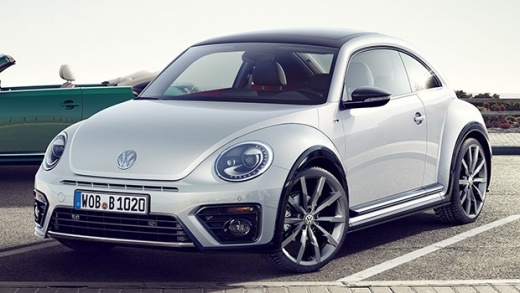
How to change the date and time on the Volkswagen Beetle MK2
Model: Volkswagen Maggiolino
MK 2
- Years:
2011, 2012, 2013, 2014, 2015, 2016, 2017, 2018, 2019
Video tutorial
Let's see how to change the date and time on the Volkswagen Beetle MK2: this is a very simple procedure that is carried out using two buttons integrated into the display. Press and hold the left button for a few seconds: the hour will start to blink, indicating that we have entered programming mode. While the hour is blinking, repeatedly press the right button to advance the hours to the desired value. After setting the hours, press the left button once: now the minutes will blink and we will adjust those as well. Once the minutes have also been set correctly, press the left button again to confirm the settings and exit adjustment mode.
Posted on 24 November 2025 by ScegliAuto
Related tutorials
Volkswagen Maggiolino
(1998-2005 /
)
Before starting, open the front door of your Volkswagen Beetle. Begin by removing the door panel, disengaging the relevant clips and unscrewing the f…

Volkswagen Maggiolino
(2011-2019 /
MK 2)
What you see in the video is a problem that occurs frequently in the New Beetle, often caused by both main beam bulbs burning out simultaneously. The…

Volkswagen Maggiolino
(1938-1980 /
MK 1)
In today's video, we will cover the main instructions on how to remove the alternator on the Volkswagen Beetle. First, open the rear engine cover and…
Other guides you may be interested in |
How to Set the Time in an Audi A4?
In this tutorial, you will see how to set the time in an Audi A4, a very simple and quick operation to perform after replacing the battery or when the time changes. First, insert the key and turn on the instrument cluster. Then, press the "SETUP" button located on the center console. Next, press the upper left arrow button, navigate to the "Time" option, and use the central knob to adjust the clock. Finally, set any necessary formats and save by returning to the main screen. by ScegliAuto More videos
|
|
For advertising on this site Write to info@scegliauto.com
ScegliAuto is not responsible for any inaccuracy of the data in the lists. To report any inaccuracy or your business (if you own the business in question), please write to info@scegliauto.com
Number of seconds to generate the page: 0.044
(c) ScegliAuto 2026 - info@scegliauto.com - Privacy policy VAT number: IT01247470535 |
