
|
Do it yourself
| |||
| ||||


How to Repair (and Remove) the Ignition Switch of a VAG Group Vehicle
Model: Volkswagen Golf
MK 5, Golf 5, Golf V
- Years 2003-2008
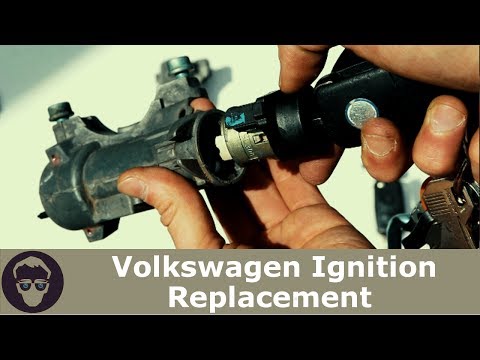
First, let's look at the procedure for repairing the ignition switch, as described in the video. Using a drill with a 4.5 mm bit, create a hole in a specific point on the side of the switch to access the internal retaining clip that holds the cylinder. Insert something sharp inside to press the clip down while simultaneously pushing and turning the cylinder to extract it. The position of the hole is crucial, so watch the video carefully to understand the exact location. To remove the switch, first disassemble the steering column: unscrew the airbag mounting screws located behind the steering wheel, disconnect the airbag connectors, and then unscrew the central nut that secures the steering wheel. Remove the plastic covers of the column, disassemble the indicator stalk, and at this point, the screws securing the switch will be visible, allowing you to proceed to the first part of the transcription.
Posted on 26 February 2026 by ScegliAuto
Video tutorial
Related tutorials
Volkswagen Golf
(2008-2012 /
MK 6, Golf VI, Golf 6, 5K1)
In this video, we can see how to service the Haldex system on a VAG group vehicle (in this case, a Volkswagen Golf 6). This is an all-wheel-drive sys…

Volkswagen Golf
(1997-2003 /
Golf IV, MK 4, Golf 4)
Let’s see how to reset the maintenance on VAG group vehicles using the VCDS system: connect to the car, which must have the ignition on, via the EOBD…
Volkswagen Golf
(1997-2003 /
Golf IV, MK 4, Golf 4)
How do you remove the ignition switch from a Volkswagen Golf Series 4? In this video, the procedure is explained: before removing the ignition switch…
Other guides you may be interested in
|
How to set the clock on the Opel Zafira
Setting the clock to the current Italian time on an Opel Zafira model B vehicle is a very simple operation, which can also be done independently thanks to our short instructional video. The first thing to do is to turn on the instrument panel and then press the SETTING button, located on the central dashboard. Once inside the menu, use the buttons to navigate to the clock setting. Change the hours and minutes and restart the instrument panel. If the clock is not updated, a diagnosis may be necessary at the radio or vehicle control unit. by ScegliAuto More videos
|
|
For advertising on this site Write to info@scegliauto.com
ScegliAuto is not responsible for any inaccuracy of the data in the lists. To report any inaccuracy or your business (if you own the business in question), please write to info@scegliauto.com
Number of seconds to generate the page: 0.071
(c) ScegliAuto 2026 - info@scegliauto.com - Privacy policy VAT number: IT01247470535 |
